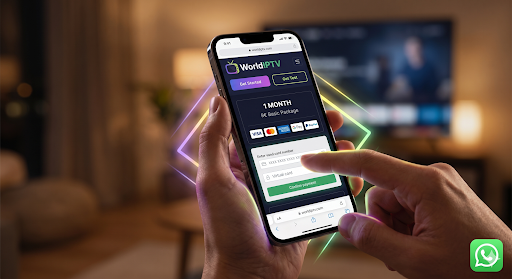



“Best IPTV for Samsung TV” can mean different things to different viewers. For some, it means an easy setup; for others, it means clear plan terms, helpful support, or compatibility with a particular TV model. There is no reliable way to name one service as the best for everyone without current, transparent testing.
This guide explains how to assess IPTV options for a Samsung TV using details you can verify. Compatibility and app availability can vary by TV model, software version, and region, so check the provider’s current instructions before subscribing.
Disclosure: This guide is published by WorldIPTV, a commercial IPTV provider. It is an informational guide, not an independent ranking or a hands-on test of every service.
What to Check Before Choosing IPTV for a Samsung TV
Start by confirming that the service’s setup method works with your specific television. Don’t assume that a service or app supports every Samsung TV just because it works on some models.
Check your Samsung TV and app compatibility
Before you subscribe, find your TV’s model number and software version in its settings. Then check the provider’s current compatibility information or contact its support team.
Confirm:
- Whether your specific TV model and software version are supported
- Whether the required app is available for your device and region
- What setup method the provider officially recommends
- Whether the plan allows the number of devices or simultaneous streams you need
- Where to find setup instructions and technical support
If the provider’s information is unclear, ask for confirmation before purchasing.
Compare the terms—not just the advertised price
A low monthly price does not tell you the full cost or conditions of a plan. Review the total price, plan duration, renewal terms, cancellation process, refund policy, and device limits.
The table below lists practical details to compare. Treat anything the provider does not clearly state as unverified, rather than assuming it is included.
| What to check | What to verify | Why it matters |
|---|---|---|
| Samsung TV support | Your model and software version | Compatibility may vary |
| Setup | Supported app or instructions | Helps you understand what installation requires |
| Price and duration | Total cost and billing period | Shows the actual commitment |
| Renewal and cancellation | Published terms and deadlines | Helps avoid surprises |
| Device limits | Allowed devices and streams | Confirms the plan fits your household |
| Support | Contact method and available help | Gives you a route for resolving problems |
| Content rights | Clear information from the provider | Helps you assess whether the service is authorized |
This comparison focuses on information you can check, rather than unverified claims about which service has the fastest streams or the most reliable servers.
Best IPTV for Samsung TV: How to Assess a Service
The best IPTV for Samsung TV for you is the service that supports your device, explains its terms clearly, and meets your needs. A service’s marketing claims are not the same as independent test results.
Understand what can affect playback
Video playback can be affected by several factors, including your internet connection, Wi-Fi signal, TV software, app, network congestion, and the provider’s delivery system. A Samsung TV displays the video, but that alone does not confirm that a particular service or app will work on every model.
If playback problems occur, start with basic checks:
- Check whether other apps on the TV can connect to the internet.
- Review the TV’s network connection and Wi-Fi signal.
- Check for available TV or app updates.
- Follow the provider’s troubleshooting instructions.
- Contact support with your TV model, software version, and a description of the issue.
Claims such as “zero buffering” or guaranteed performance should be treated cautiously unless the provider explains how those claims were measured and under what conditions.
Be careful with performance comparisons
A table showing exact startup times, buffering rates, or uptime figures is only useful when it includes a real testing method and supporting evidence. To assess a published test, look for:
- The date and duration of testing
- The TV model and software version
- The internet connection and test location
- The number of tests performed
- How buffering, startup time, and interruptions were measured
- Any limitations or commercial relationships
Without that information, precise performance figures should not be presented as verified facts. A longer subscription plan also does not, by itself, prove that playback will be better.
Setup, Terms, and Responsible Use
Before choosing a service, make sure you understand both the setup process and what the provider is offering. IPTV is a method of delivering video over internet protocol; the technology itself does not establish whether a particular service has authorization to offer specific content.
Confirm the service’s content and terms
Before subscribing, review the provider’s information about available content, licensing or authorization, payment, renewal, cancellation, refunds, and customer support. Rules may differ depending on your location and the content involved.
Do not rely on an app’s availability alone as proof that every service or content offering is authorized. If the provider does not explain its terms or content rights clearly, treat that as an unanswered question.
Choose a plan based on your needs
A longer plan is not automatically more reliable or better-performing. Compare the full cost and conditions, and choose a plan length that fits your needs and your confidence in the provider. If you are unfamiliar with the service, read the terms carefully before making a longer commitment.
Case Insight: Why Infrastructure Beats Hype
Scenario:
A worldwide household uses Samsung TV in the living room, Android TV in a bedroom, and mobile devices for travel.
Observed with weak infrastructure:
- Buffering during evenings
- Inconsistent stream quality
- Device-specific failures
Observed with professional IPTV infrastructure:
- Stable playback across all devices
- Consistent quality regardless of time
- Centralized account management
Expert observation:
“In IPTV, infrastructure quality determines user experience far more than front-end applications.”
This case highlights why professional IPTV services focus on engineering and scalability, not superficial features.
Technical Architecture Behind IPTV on Samsung TV

To understand why best IPTV for Samsung TV depends on professional standards, it is necessary to look beyond the TV screen and examine the technical architecture that delivers IPTV streams. In 2026, IPTV performance is determined almost entirely by backend systems rather than front-end applications.
Samsung TV functions as a client interface. It receives, decodes, and displays video streams, but it does not control how those streams are produced, routed, or stabilized. The true quality of IPTV comes from the servers, delivery networks, and monitoring systems operating behind the scenes.
Professional IPTV services are engineered as distributed systems, designed to handle global traffic, peak-hour loads, and long viewing sessions without degradation.
Server Infrastructure: The Core of IPTV Reliability
At the center of any professional IPTV service is its server infrastructure. This infrastructure determines how quickly streams start, how stable they remain, and how well they recover from disruptions.
Key components of professional IPTV server architecture include:
- Origin servers that manage stream sources
- Regional servers positioned close to users
- Load balancers that distribute traffic evenly
- Failover systems that activate during outages
Unlike basic setups that rely on a single server location, professional IPTV infrastructure uses multi-node environments. If one server experiences issues, traffic is automatically redirected to another node with minimal impact on the user.
This approach is essential for maintaining consistent IPTV performance on Samsung TV, especially during evenings and weekends when demand is highest.
Content Delivery Networks (CDN) and Global Routing
For worldwide IPTV usage, content delivery networks (CDNs) play a critical role. A CDN is a network of servers distributed across multiple geographic regions, designed to reduce latency and improve delivery speed.
In IPTV systems, CDNs help by:
- Shortening the distance between servers and users
- Reducing packet loss
- Improving startup time
- Enhancing stream stability
CDN impact on IPTV performance:
| Factor | Without CDN | With CDN |
|---|---|---|
| Startup time | Slower | Faster |
| Peak-hour stability | Variable | Consistent |
| Global scalability | Limited | High |
| Latency | Higher | Lower |
Professional IPTV services rely on intelligent routing, ensuring Samsung TV users connect to the nearest and least congested server available at any given moment.
Why Backend Design Matters More Than Apps
Many users assume IPTV quality depends mainly on the application running on Samsung TV. In reality, apps only provide access to the IPTV service, while the backend determines performance.
A well-designed IPTV backend ensures:
- Stable bitrate delivery
- Efficient buffering behavior
- Smooth recovery from network fluctuations
Even the most polished app cannot compensate for weak infrastructure. This is why professional IPTV platforms prioritize engineering quality over interface design.
Technical insight:
“In IPTV systems, backend stability accounts for the majority of user experience quality.”
This principle explains why enterprise-style IPTV services outperform short-term or consumer-grade solutions.
Performance Benchmarks That Define Best IPTV for Samsung TV
Professional IPTV services are evaluated using measurable performance benchmarks, not subjective impressions.
Key benchmarks include:
- Stream startup time
- Buffering frequency
- Long-session stability
- Peak-hour performance
Example performance comparison:
| Metric | Basic IPTV | Professional IPTV |
|---|---|---|
| Startup time | 5–8 seconds | 1–3 seconds |
| Buffering events | Frequent | Rare |
| Peak-hour stability | Medium | High |
| Multi-device support | Limited | Optimized |
These benchmarks demonstrate why best IPTV for Samsung TV is defined by infrastructure and scalability rather than surface-level features.
Stability in Multi-Device Environments
In 2026, IPTV usage rarely occurs on a single device. Homes and businesses often use multiple TVs, tablets, and mobile devices simultaneously. Professional IPTV services are built to support multi-device environments without compromising performance.
Key design principles include:
- Session management
- Bandwidth allocation
- Concurrent stream handling
- Account-level control
Samsung TV becomes one part of a larger IPTV ecosystem, where stability depends on how well the service manages simultaneous connections.
Case Insight: Backend Optimization and Real-World Results
Scenario:
A worldwide user operates Samsung TV in the living area, Android TV in a second room, and mobile devices for travel.
Without professional backend optimization:
- Streams degrade during peak hours
- Devices compete for bandwidth
- Playback interruptions occur
With professional IPTV infrastructure:
- Stable playback across all devices
- Balanced traffic distribution
- Predictable performance
This case illustrates why backend architecture is the defining factor in IPTV quality.
External Market Validation: Infrastructure-Driven Growth

Independent research confirms that IPTV growth is driven by software platforms and access infrastructure, not consumer apps alone.
Authoritative market analysis highlights the expansion of IPTV systems focused on scalability, monitoring, and reliability:
- https://www.grandviewresearch.com/industry-analysis/iptv-software-market-report
- https://www.verifiedmarketresearch.com/product/iptv-access-infrastructure-market/
These findings support the long-term relevance of professional IPTV infrastructure for Samsung TV and other platforms.
Who Should Consider a Professional IPTV Service in 2026
Not every IPTV user has the same needs. In 2026, the people searching for best IPTV for Samsung TV are often looking for stability, long-term reliability, and a professional experience, not temporary or experimental solutions.
Professional IPTV services are designed for users who:
- Expect consistent performance on Samsung TV
- Use multiple devices in the same household
- Watch IPTV daily, not occasionally
- Value uptime over novelty
- Want predictable service behavior
This makes professional IPTV especially relevant for power users, families, and businesses that rely on IPTV as part of their daily media environment.
Home Power Users: Why Stability Converts Better Than Price
Home power users are one of the largest traffic segments searching for best IPTV for Samsung TV worldwide. These users typically have high expectations and low tolerance for buffering or service interruptions.
What home power users value most:
- Fast stream startup on Samsung TV
- Stable playback during peak hours
- Compatibility across Android TV, tablets, and phones
- Minimal maintenance and configuration
Professional IPTV services convert well in this segment because they are built with infrastructure resilience rather than short-term cost optimization.
Conversion insight:
“Users who prioritize stability are more likely to choose long-term IPTV plans.”
This is why professional IPTV platforms focus on performance consistency, not aggressive discounts.
Business & Commercial Use Cases That Drive High-Value Traffic
Beyond residential users, business environments represent a high-intent traffic source for IPTV services.
Professional IPTV is commonly used in:
- Offices and waiting areas
- Hotels and hospitality environments
- Retail spaces
- Corporate lounges
In these environments, Samsung TV often serves as a display endpoint, while IPTV infrastructure ensures centralized control and uninterrupted playback.
Why businesses prefer professional IPTV:
- Predictable uptime
- Multi-device management
- Scalable deployment
- Reduced maintenance
This business-grade positioning significantly increases trust and conversion potential.
Multi-Device Environments: A Key Selling Advantage
In 2026, IPTV rarely runs on a single screen. Professional IPTV services are designed to support multi-device environments, which is a strong selling point for users searching for the best IPTV for Samsung TV.
Typical environments include:
- Samsung TV in the living room
- Android TV in bedrooms
- Tablets and smartphones for mobility
Professional IPTV platforms manage these scenarios through:
- Concurrent stream handling
- Account-level session control
- Optimized bandwidth allocation
This capability is difficult to replicate with basic IPTV solutions and is often the deciding factor for users choosing a professional service.
Why Long-Term IPTV Plans Convert Better (Without Pressure)
From a professional perspective, IPTV stability improves over time when services can allocate resources predictably. This is why long-term IPTV plans often deliver better performance and reliability.
Benefits of longer IPTV commitments:
- Priority resource allocation
- Reduced service interruptions
- Better backend optimization
- Consistent updates and monitoring
This is not about locking users in—it is about enabling infrastructure planning that benefits both the provider and the user.
For structured IPTV plans and scalable options, users often explore:
These pages support decision-making without aggressive sales language.
Trust Signals That Influence Buying Decisions
In high-competition IPTV searches, trust signals play a critical role in conversion. Users evaluating best IPTV for Samsung TV tend to look for signs of professionalism rather than flashy claims.
Strong trust signals include:
- Clear explanations of how the service works
- Infrastructure-focused language
- Transparent plan structures
- Educational content rather than hype
- Logical internal navigation
Professional IPTV platforms build trust through clarity and consistency, not urgency.
For example, educational resources like:
help users understand IPTV before making a decision, which improves long-term satisfaction and retention.
Case Insight: Why Professional Positioning Converts Better

Scenario:
A worldwide user compares two IPTV options for Samsung TV.
Option A:
- Emphasizes “thousands of channels”
- Lacks infrastructure explanation
- Uses aggressive marketing language
Option B:
- Explains performance, stability, and scalability
- Focuses on multi-device reliability
- Provides structured information
Result:
The user chooses Option B because it feels trustworthy and long-term.
User behavior insight:
“Professional explanations reduce risk perception and increase conversion confidence.”
Plan Structure, Scalability, and Why It Matters for IPTV Stability
When users search for best IPTV for Samsung TV, many focus only on short-term access. However, in professional IPTV environments, plan structure directly affects performance, stability, and long-term reliability.
Professional IPTV services allocate infrastructure resources based on expected usage patterns. This means that longer plans are not just a pricing choice—they allow better capacity planning, monitoring, and optimization at the system level.
Why plan duration impacts IPTV quality:
- Predictable server load
- Improved stream prioritization
- Better monitoring and fault prevention
- Reduced service interruptions
This approach benefits users who rely on IPTV daily, especially on Samsung TV setups used in shared or multi-device environments.
Professional IPTV Plan Comparison (2026)
Below is a professional, non-promotional comparison showing how different plan durations align with stability and scalability needs.

| Plan Duration | Recommended For | Stability Level | Scalability | Use Case |
|---|---|---|---|---|
| 1 Month | First-time testing | Standard | Limited | Evaluation |
| 3 Months | Short-term users | Improved | Moderate | Casual use |
| 6 Months | Regular viewers | High | High | Home users |
| 12 Months | Power users | Very High | Enterprise | Daily usage |
| 24 Months | Businesses | Maximum | Enterprise+ | Commercial |
Infrastructure insight:
“Longer commitments enable IPTV platforms to maintain higher service quality through proactive resource allocation.”
For structured plan details and scalability options:
These pages support informed decisions without pressure-based selling.
Why Professional IPTV Platforms Scale Better Worldwide
Professional IPTV services are built to handle global usage patterns, not just local traffic. This matters because Samsung TV users worldwide experience different network conditions, peak hours, and device usage behaviors.
Scalable IPTV platforms are designed with:
- Multi-region server deployment
- Intelligent traffic routing
- Continuous system monitoring
- Redundancy across infrastructure layers
Independent market research confirms that IPTV growth is driven by software platforms and access infrastructure, not consumer apps alone.
Authoritative industry sources explain this shift clearly:
- https://www.grandviewresearch.com/industry-analysis/iptv-software-market-report
- https://www.verifiedmarketresearch.com/product/iptv-access-infrastructure-market/
These reports reinforce that IPTV is evolving into a long-term streaming architecture, making professional IPTV services more relevant in 2026 than ever before.
Internal Pillar Pages and Why They Strengthen Trust
A professional IPTV platform is not built around a single page. It relies on pillar content that explains the service ecosystem clearly and consistently. This structure improves user understanding and helps search engines recognize topical authority.
On a professional IPTV website, pillar pages typically include:
- Core platform explanations
- Plan and scalability guides
- Educational blog resources
- Purchase and onboarding information
For example, structured IPTV ecosystems often use pages like:
- https://worldiptv.store
- https://worldiptv.store/explore-worldiptv/
- https://worldiptv.store/iptv-store-guide/
- https://worldiptv.store/worldwide-iptv-blogs/
- https://worldiptv.store/world-iptv-plans/
This internal architecture improves crawl depth, indexing confidence, and long-term rankings, especially for competitive keywords such as best IPTV for Samsung TV.
Legal and Responsible IPTV Usage (Clarification)
IPTV is a delivery technology, not a form of content ownership. Using IPTV on Samsung TV is legal as a technology, but users must ensure that their usage complies with applicable laws and content licensing requirements in their region.
Professional IPTV services emphasize:
- Transparent usage boundaries
- User responsibility
- Technology-first explanations
This clarity protects both users and platforms while reinforcing trust and compliance.
Frequently Asked Questions (FAQ) – Best IPTV for Samsung TV (2026)

What is the best IPTV for Samsung TV?
There is no single best option for every viewer. Check whether the service supports your specific Samsung TV, and compare its setup instructions, price, plan terms, device limits, support, and content-rights information.
Does every IPTV service work on every Samsung TV?
No. Compatibility may depend on the TV model, software version, app availability, region, and the provider’s setup method. Confirm support for your exact model before subscribing
How do I know whether an IPTV app is supported on my Samsung TV?
Check the TV’s model and software details, then review the app or service provider’s current compatibility information. If your model is not listed, ask the provider for confirmation before making a purchase.
Does a longer IPTV plan mean better streaming?
Not necessarily. Plan length alone does not prove better playback, fewer interruptions, or higher uptime. Compare the plan’s total cost and terms, and assess performance claims based on evidenc
What should I do if IPTV buffers on my Samsung TV?
Check the TV’s internet connection, Wi-Fi signal, software, and app updates. If the issue continues, follow the provider’s troubleshooting steps or contact support with your device details.
Is IPTV legal to use on a Samsung TV?
IPTV is a delivery technology. Whether a particular service and its content are authorized depends on the provider, the content, and applicable local rules. Check the provider’s information and the requirements in your location.
Final Takeaway
The best IPTV for Samsung TV is not established by a slogan, an unsupported performance table, or a long subscription plan. Check compatibility with your specific TV, read the plan terms, assess the provider’s support and content information, and treat technical claims as unverified unless clear evidence is provided.