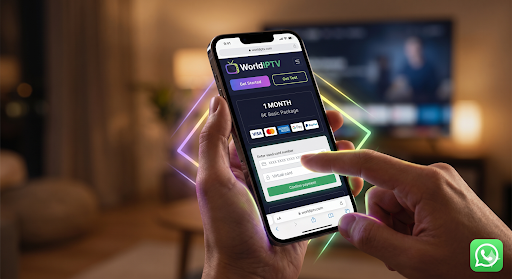



How Do i Subscribe to IPTV? Subscribing to WorldIPTV is a straightforward process: choose a subscription that fits your needs, confirm that your device is compatible, complete your order with a valid email address, receive your activation details, configure a compatible IPTV player, and test your setup. New customers can begin by reviewing the available WorldIPTV plans and pricing before ordering.
The most important part is choosing the right plan and understanding what happens after checkout. You should know your main device, subscription duration, payment details, setup method, and support options before making a purchase.
Below is the complete seven-step process.

How Do i Subscribe to IPTV in 7 Steps
1. Choose Your WorldIPTV Plan
Start by deciding how long you want your subscription to last.
WorldIPTV offers different subscription durations, so you do not need to make the same commitment as every other customer. A new user may prefer a shorter subscription, while someone who already understands their setup may prefer a longer plan.
Before ordering, compare the current options on the WorldIPTV Plans & Pricing page.
When comparing plans, focus on:
- Subscription duration
- Current price
- Your expected usage
- Your device setup
- Whether you are subscribing for the first time
- How comfortable you are with the service and setup process
First-time subscriber? A shorter commitment can make sense while you confirm that your device, internet connection, player, and everyday setup work as expected.
Already familiar with your setup? You can compare longer subscription periods based on their current pricing and value.
The purpose of this step is simple: choose based on your actual needs rather than automatically selecting the longest option.
2. Check Your Device Compatibility Before Ordering
Next, decide which device you plan to use first.
WorldIPTV can be used through supported IPTV-compatible players and devices, but the exact setup process depends on your hardware and software.
Common device categories include:
- Smart TVs
- Android TV devices
- Android smartphones and tablets
- iPhone and iPad
- Windows computers
- Mac computers
- Compatible streaming devices
- IPTV-compatible boxes and media players
You do not need to install every app or configure every screen before ordering. You simply need to know which device you intend to start with.
This helps you avoid a common problem: completing a subscription and then wondering where the supplied configuration details should be entered.
For example, a Smart TV setup may follow a different installation process from an Android TV device or computer.
Before checkout, know these two things:
- Which device will be your main viewing device?
- Which compatible player or setup method will you use?
After receiving your subscription information, you can follow the relevant WorldIPTV installation tutorial for your setup.
3. Choose the Subscription Duration That Fits You
Once your device is ready, choose your preferred subscription period.
How Do i Subscribe to IPTV? WorldIPTV currently provides multiple durations rather than forcing every customer into one package. This gives first-time and returning customers different levels of commitment.
A simple way to choose is:
| Your situation | Suggested approach |
|---|---|
| First time using the service | Start with a shorter option |
| You already understand IPTV setup | Consider a medium-term plan |
| You have tested your setup successfully | Compare longer-term options |
| You want to evaluate compatibility first | Use the lowest-commitment suitable option |
Do not choose a longer subscription simply because the monthly equivalent looks cheaper.
The better question is:
“Which duration makes sense for how confident I am in my setup and expected use?”
If you are new, confirming compatibility and setup first gives you more information before making a longer commitment.
If you already know your device and have experience configuring compatible players, you can compare longer durations directly on the plans page.
4. Complete Checkout Carefully
After choosing a plan, continue to the checkout page and review the order before paying.
Use accurate information, especially your email address, because order confirmations, subscription information, or support communication may depend on it.
Before submitting payment, verify:
- The plan you selected
- Subscription duration
- Total price and currency
- Email address
- Billing information
- Any applicable terms
- Refund conditions
- Whether the order details match what you intended to purchase
Avoid rushing through checkout.
A subscription purchase should be treated like any other online digital-service transaction: understand what you are buying and keep a record of the order.
For a deeper explanation of payment checks and transaction records, read How to Pay for IPTV Safely.
After payment, save your:
- Order confirmation
- Transaction or order number
- Purchase date
- Selected subscription duration
These details can make support much easier if you later need help locating an order.
5. Check Your Email for Your Subscription Details
After completing the order, check the email address you provided during checkout.
Look in your main inbox first. If nothing appears, also check:
- Spam
- Junk
- Promotions
- Other filtered folders
Keep your subscription or configuration information private.
Do not publish your login information, share screenshots containing credentials, or post access details publicly.
If you believe an order has been completed but you have not received the expected information, contact WorldIPTV support using your order reference and the email address used during checkout.
Providing the correct order information helps support identify the purchase faster.
6. Add Your Details to a Compatible IPTV Player
Once you receive the necessary subscription information, follow the setup instructions for your device and compatible player.
The exact configuration can vary depending on the device and software being used, so avoid copying instructions intended for a completely different platform.
The general process is:
- Install or open a compatible IPTV player.
- Select the appropriate account or playlist setup option.
- Enter the configuration information supplied for your subscription.
- Save the configuration.
- Allow the player to load the account.
- Confirm that the interface loads correctly.
Follow the WorldIPTV installation tutorial if you need device-specific guidance.
WorldIPTV does not need to turn this subscription article into a full installation manual. Keeping detailed setup instructions on the installation page also makes it easier for users to find the correct guide when they need it.
7. Test Your Setup and Contact Support if Needed
Do not wait until an important viewing moment to test a new subscription.
After setup, spend a few minutes confirming that:
- Your player opens correctly
- Your account details were entered correctly
- Navigation works normally
- Your device remains connected to the internet
- The setup behaves consistently
- You know where to find support if a problem appears
If something does not work, first check the basics:
Wrong login or configuration details?
Re-enter the information carefully.
Player does not load correctly?
Confirm that you are using a compatible application and the correct setup method.
Connection appears unstable?
Check your local internet connection and restart the device or router if appropriate.
Still unable to complete setup?
Contact WorldIPTV support and provide your order reference, device type, player name, and a clear description of the problem.
That information is much more useful than simply sending a message saying “it doesn’t work.”
The WorldIPTV Subscription Process at a Glance
| Step | Action | What You Should Have Afterward |
| 1 | Compare plans | Preferred subscription option |
| 2 | Check your device | Compatible device/player identified |
| 3 | Select duration | Subscription period chosen |
| 4 | Complete checkout | Order confirmation |
| 5 | Check your email | Subscription/configuration information |
| 6 | Configure your player | Working device setup |
| 7 | Test and get support | Confirmed setup or support request |
The entire process is designed to move you from plan selection → purchase → configuration → testing without making the subscription journey unnecessarily complicated.
Ready to compare your options?
Start with the WorldIPTV Plans & Pricing page and choose the subscription duration that best fits your needs.
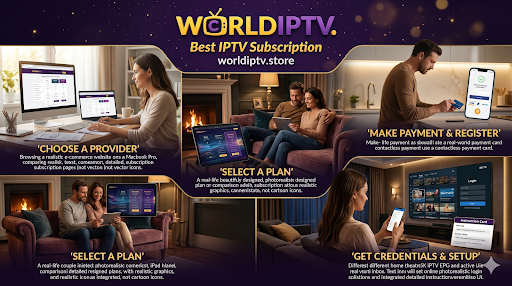
WorldIPTV Plans Compared: Which Subscription Should You Choose?
Once you know that your device is suitable and you understand the basic subscription process, the next decision is choosing the right subscription duration.
WorldIPTV currently offers several plan lengths, allowing customers to start with a shorter commitment or choose a longer subscription when they already understand their setup.
The prices below were listed on the WorldIPTV Plans & Pricing page when this guide was updated in 2026. Always confirm the current price and conditions on the official plans page before completing checkout.
| WorldIPTV Plan | Duration | Current Listed Price | Best Fit |
|---|---|---|---|
| Basic | 1 Month | €9 | First-time customers and short-term evaluation |
| Standard | 3 Months | €19 | Customers comfortable with their setup |
| Premium | 6 Months | €29 | Regular users wanting a medium-term option |
| Silver | 12 Months | €49 | Established users seeking longer-term value |
| Gold | 24 Months | €69 | Experienced users comfortable with a longer commitment |
Pricing checked against the current WorldIPTV plans page.
Which WorldIPTV Plan Offers the Best Value?
The lowest total price is not automatically the best choice, and the longest plan is not automatically the best value.
Your best option depends on how confident you are about:
- Your main device
- Your chosen IPTV-compatible player
- Your internet connection
- Your setup experience
- The subscription terms
- How long you expect to use the service
For a first-time customer, the 1-month plan provides the lowest normal commitment among the currently listed paid plans.
A customer who has already completed setup successfully may prefer to compare the 3-, 6-, or 12-month options.
Longer subscriptions can reduce the effective monthly cost, but they also increase the amount committed upfront.
That is why the better buying strategy is:
Start with confidence, then extend based on your actual experience.
👉 Compare Current WorldIPTV Plans
Which Plan Should a First-Time WorldIPTV Customer Choose?
If this is your first subscription, you generally do not need to begin with the longest available package.
A practical starting point is the 1-month WorldIPTV plan.
Why?
Because your first month gives you time to understand:
- How your preferred device handles the setup
- Whether your chosen player is convenient for you
- How the service fits into your normal routine
- Whether you understand the account and setup process
- How effectively you can get assistance if you need it
This is a purchasing decision, not a technical guarantee.
A longer subscription does not automatically improve your internet connection, device performance, or player compatibility.
Simple Plan-Selection Guide
Choose 1 month if:
- This is your first WorldIPTV purchase
- You are using a new device
- You want the lowest normal commitment
- You want to understand the setup before extending
Consider 3 or 6 months if:
- You already understand your device
- Your setup has been confirmed
- You prefer a medium-term subscription
- You want to reduce how often you renew
Consider 12 or 24 months if:
- You already have experience with your setup
- You understand the service conditions
- You are comfortable making a larger upfront commitment
- The longer duration genuinely suits your expected use
Do not purchase a longer duration simply because a countdown, discount, or promotional message creates urgency.
Make the decision based on your needs.
If you are unsure, return to the WorldIPTV Plans page and compare the current options before ordering.
What Happens After You Subscribe to WorldIPTV?
A customer should know what happens after clicking the payment button, not only what happens before it.
Your subscription journey generally moves through four stages:
1. Order Confirmation
After successfully placing an order, keep the confirmation associated with your purchase.
Save information such as:
- Order number
- Purchase date
- Subscription duration
- Amount paid
- Payment reference
- Email address used during checkout
Do not delete your payment confirmation immediately after purchasing.
It may be useful if you later need billing or technical support.
2. Check Your Email
WorldIPTV asks customers to provide a valid email address during the subscription process.
Check your:
- Primary inbox
- Spam folder
- Junk folder
- Promotions folder
Use the same email address when contacting support about the order so that the purchase can be identified more easily.
3. Follow the Setup Instructions
After receiving the information associated with your subscription, use the setup method appropriate for your device.
If you need additional help, use the WorldIPTV Installation Tutorial rather than relying on random instructions from unrelated websites.
The purpose of this subscription guide is to explain the buying journey. Detailed device configuration belongs in the installation guide so that each page maintains a clear purpose.
4. Test the Setup
Once configured, check that the player loads correctly and that you understand how to use your setup.
Do this shortly after receiving your subscription rather than waiting several days.
If you encounter a problem, write down:
- Device model
- Operating system
- Player/app name
- Error message
- Approximate time the problem occurred
- Troubleshooting already attempted
That information gives support a much clearer starting point.
Which Devices Can I Use With WorldIPTV?
WorldIPTV’s current plans page lists compatibility across Android TV, Smart TVs, smartphones, tablets, and PCs.
The exact app or configuration method can vary by platform.
| Device Category | Typical Setup Approach |
| Smart TV | Install a compatible player supported by your television platform |
| Google TV / Android TV | Install a compatible app and configure the supplied subscription details |
| Android Phone / Tablet | Use an appropriate compatible player |
| iPhone / iPad | Use an app available for your Apple device |
| Apple TV | Install an appropriate compatible player through the App Store |
| Windows PC | Use supported IPTV-compatible software |
| Mac | Use compatible software available for macOS |
Google TV and Android TV
Google officially explains how users can search for and install apps through the Google TV interface.
For general device instructions, see:
External resource: Google — Install apps on Google TV
Google’s documentation confirms that compatible apps can be searched for and installed through the Apps section of Google TV.
This external resource is provided for general Google TV app-installation guidance. Google does not endorse or sponsor WorldIPTV.
Apple TV
Apple similarly provides official instructions for finding and downloading apps through the Apple TV App Store.
External resource: Apple — Download apps on Apple TV
Apple explains that Apple TV users can open the App Store, search for an application, and download it when available for their device.
Again, the link is included as independent device documentation and does not imply an endorsement of WorldIPTV by Apple.
Before Buying, Check the Device You Will Actually Use
Do not assume that because something works on one device it will behave exactly the same way on another.
Before subscribing, answer:
What device will I use most often?
Then prepare that device first.
For WorldIPTV-specific setup information, use the Installation Tutorial.
Payment Transparency: What to Check Before You Subscribe
How Do i Subscribe to IPTV? A trustworthy subscription decision should make the financial side clear before payment.
Before purchasing a WorldIPTV plan, confirm:
- Exact subscription duration
- Final price
- Currency
- Email address
- Payment method
- Renewal conditions, if applicable
- Refund conditions
- Support route
If you need a deeper explanation of these points, read the dedicated How to Pay for IPTV Safely guide.
Use a Secure Checkout Connection
When entering payment information online, check that the checkout is delivered over HTTPS.
The U.S. Federal Trade Commission advises online shoppers to check that sites handling payment information use encryption, while also noting that HTTPS alone does not prove that a seller is legitimate.
For independent consumer guidance:
External resource: Federal Trade Commission — Online Shopping
This is a useful principle for any online purchase, not just IPTV subscriptions.
Understand the WorldIPTV Refund Policy Before Ordering
Do not wait until after purchasing to read the refund conditions.
WorldIPTV maintains a separate Refund Policy explaining when refund requests may and may not be approved.
The current policy states that a refund may be considered in circumstances such as:
- Duplicate payment
- Subscription not delivered after payment
- A different subscription being provided from the one ordered
- Certain verified technical issues that support cannot resolve
The policy also states that customers seeking an eligible refund should contact WorldIPTV within 7 days of purchase. Refund approval is not automatic, and specific exclusions apply.
That distinction matters.
Do not advertise the service as having an unconditional “7-day money-back guarantee” unless the actual policy provides one.
It currently does not describe every purchase as automatically refundable within seven days.
Customers should therefore read the complete policy before ordering:
👉 Read the WorldIPTV Refund Policy
Review the Terms Before Making a Longer Commitment
A purchase page should not be the only page a customer sees.
Before choosing a longer subscription, review the WorldIPTV Terms of Service.
The current terms describe WorldIPTV as providing IPTV configuration support, subscription access to IPTV-compatible software, and digital-player/setup assistance. They also state that users are responsible for ensuring their use complies with applicable laws.
Reading these terms before purchasing helps clarify:
- Service scope
- User responsibilities
- Payment and refund conditions
- Acceptable use
- Intellectual-property responsibilities
- Support expectations
This is especially important before purchasing a 12- or 24-month subscription.
A Better First-Time Subscription Decision
A new buyer does not need dozens of promises.
You need five clear answers:
- Which device will I use?
- Which subscription duration fits me?
- What is the final price?
- What happens after payment?
- Where do I go if I need help?
If those answers are clear, you are ready to make a more informed decision.
Ready to Choose Your WorldIPTV Subscription?
Start with the current plan comparison and choose the duration that matches your level of confidence.
New customer? Consider beginning with a shorter commitment.
Already comfortable with your setup? Compare the medium- and longer-term options.
👉 View WorldIPTV Plans & Pricing
Before paying, you can also review:
- How to Pay for IPTV Safely
- WorldIPTV Installation Tutorial
- WorldIPTV Refund Policy
- WorldIPTV Terms of Service

Lawful Use, Copyright and Responsible IPTV Access
IPTV is a delivery technology. Whether particular content can be accessed or distributed legally depends on copyright ownership, licensing rights, territory, and local law.
WorldIPTV should be used only for lawful purposes and with content or services that you are authorized to access.
As a customer, you should:
- Use IPTV services in accordance with the laws that apply in your country
- Avoid unauthorized redistribution of copyrighted material
- Keep account and configuration details private
- Respect the terms of the services and applications you use
- Use legitimate content sources for which the necessary rights or permissions exist
For general information about copyright in the digital environment, see the World Intellectual Property Organization copyright resources.
For information about the U.S. Digital Millennium Copyright Act and its notice-and-takedown framework, see the U.S. Copyright Office DMCA resources.
These resources are provided for general information only. Copyright rules and streaming rights can differ between jurisdictions.
You can also review the WorldIPTV Terms of Service before purchasing.
Frequently Asked Questions About Subscribing to WorldIPTV
How do I subscribe to IPTV?
Start by visiting the WorldIPTV Plans & Pricing page and choosing the subscription duration that fits your needs.
Then:
Confirm your device compatibility.
Choose your subscription period.
Complete checkout using an accurate email address.
Keep your order confirmation.
Check your email for the information associated with your order.
Configure a compatible player using the appropriate setup instructions.
Test your setup and contact support if you need assistance.
If you are subscribing for the first time, it is sensible to understand your device and setup before making a longer commitment.
Do I need a special IPTV box to subscribe?
Not necessarily.
Your setup depends on the device you intend to use. Compatible environments may include Smart TVs, Android or Google TV devices, smartphones, tablets, computers, and other devices that support appropriate IPTV-compatible software.
For device-specific instructions, use the WorldIPTV Installation Tutorial.
If you use Google TV, Google provides its own official guidance for installing applications:
Google TV — Download or delete apps and games
Apple also provides official App Store instructions for Apple TV users:
Apple — Download apps on Apple TV
These external resources provide general device instructions and do not imply that Google or Apple endorses WorldIPTV.
What should I do if I do not receive my subscription information?
First, confirm that the payment or order was completed successfully.
Then check:
Your primary email inbox
Spam
Junk
Promotions or filtered folders
Make sure you are checking the same email address entered during checkout.
If you still cannot locate the information associated with your order, contact WorldIPTV support and provide:
Your order number
Purchase date
Email address used at checkout
Subscription duration
A short explanation of the issue
Do not publish login or subscription credentials in public messages, forums, or screenshots.
Can I request a refund after subscribing?
Refund eligibility depends on the conditions stated in the WorldIPTV refund policy.
Do not assume that every order automatically qualifies for a refund.
Before purchasing, especially when choosing a longer subscription, read the complete WorldIPTV Refund Policy.
If you need to submit a refund request, provide accurate order information and follow the procedure described in the policy.
Before You Subscribe: Final 60-Second Check
Before completing your WorldIPTV order, confirm these seven points:
- Plan: Is the subscription duration right for you?
- Price: Have you confirmed the current final price?
- Device: Do you know which device you will use first?
- Player: Do you understand the basic setup method?
- Email: Is your checkout email correct?
- Terms: Have you reviewed the important service conditions?
- Support: Do you know where to go if you need assistance?
If the answer to all seven is yes, you can make your purchase with a much clearer understanding of what comes next.
Ready to Subscribe to WorldIPTV?
You now know the complete process:
Choose a plan → confirm your device → complete checkout → receive your information → configure your player → test your setup → contact support when necessary.
There is no need to make the process more complicated than that.
New to WorldIPTV?
Start by comparing the available subscription durations and choose the level of commitment that fits your situation.
Already familiar with your setup?
Compare the medium- and longer-term options based on current pricing and your expected use.
How Do i Subscribe to IPTV ? Choose Your WorldIPTV Plan
👉 View Current WorldIPTV Plans & Pricing
Before ordering, you may also want to review:
Choose based on your device, budget, subscription duration, and confidence in your setup — not simply on the longest available commitment.