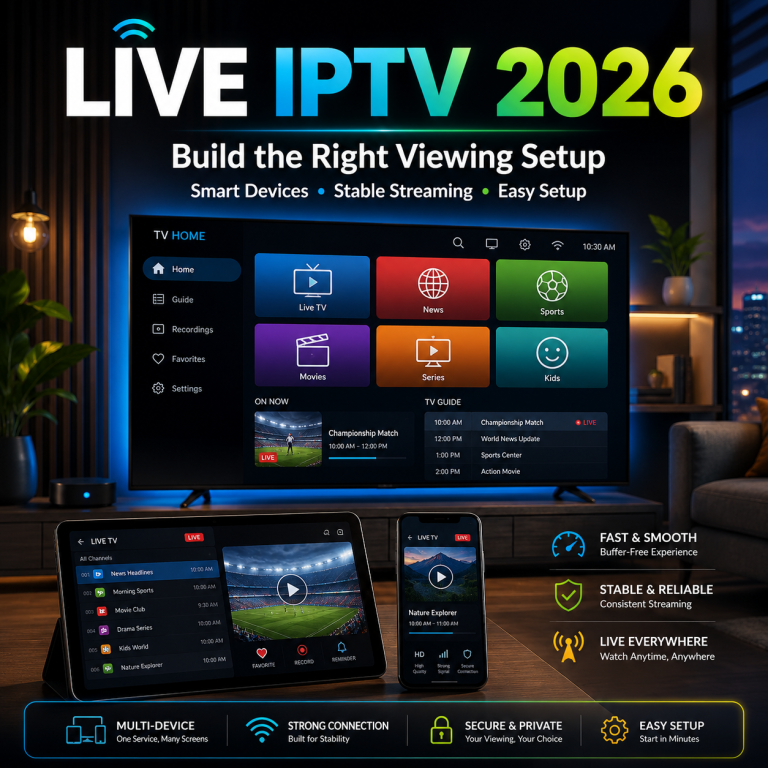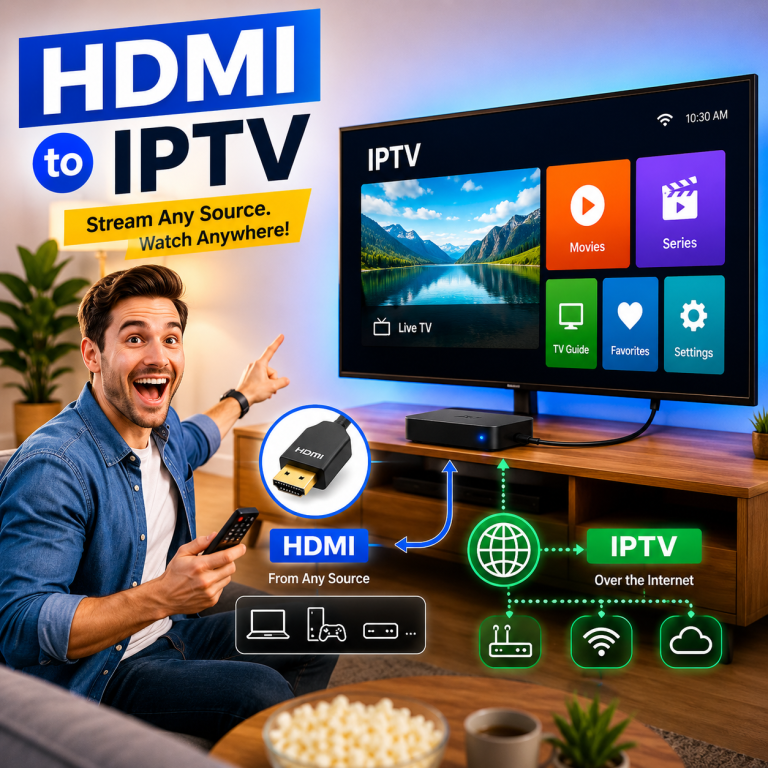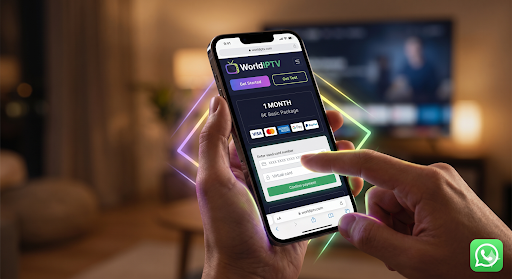



Live IPTV It is 7:55 p.m. A scheduled live program begins in five minutes, but the television has not been tested. The player needs an update, the Wi-Fi signal is weaker than expected, and another person in the household is already using most of the connection.
This is why choosing live IPTV requires a different approach from opening an on-demand video whenever it is convenient.
With live viewing, timing matters. The main screen, player, home network, subscription, and support route should be ready before the scheduled viewing window begins. A service may work correctly during a quiet afternoon but behave differently during a busy evening when several household devices are connected.
This 2026 guide helps you build a practical live-viewing plan around:
- Your usual viewing hours
- Your main device
- The number of simultaneous screens
- Your home-network conditions
- Your preferred picture quality
- Your need for setup assistance
- Your confidence before choosing a subscription length
The goal is not to push every customer toward the longest plan. It is to help you understand your environment first, then choose a WorldIPTV option that matches how you genuinely expect to use it.
The right live IPTV plan is not simply the cheapest or longest option. It is the plan that remains suitable when your household actually wants to watch.

Can I Watch Live TV on IPTV? The Practical 2026 Answer
Yes, you can watch live television through IPTV when you have four essential components:
- A suitable IPTV service
- Valid subscription credentials
- A compatible player or receiving device
- A sufficiently consistent internet connection
A fifth component is also important: a clear support route in case activation, credentials, billing, or playback do not work as expected.
The International Telecommunication Union describes IPTV as multimedia delivered through internet-protocol networks designed to support factors such as quality of service, quality of experience, security, interactivity, and reliability. This provides a more useful technical foundation than treating IPTV as simply “television on the internet.” You can review the ITU’s IPTV framework for additional context.
What makes live IPTV different from on-demand viewing?
Live IPTV On-demand viewing gives the customer flexibility. A film, documentary, or stored program can usually be started whenever the user is ready.
Live viewing is different because the content follows a schedule.
That creates several additional requirements:
- The player should open correctly before the program begins.
- Login credentials should already be working.
- The main device should be updated and responsive.
- The home network should be tested during normal viewing hours.
- The guide should be understandable.
- Channel switching should be predictable.
- Simultaneous-use requirements should be clear.
- Support details should be available before a problem occurs.
A customer who watches casually may tolerate a few minutes of setup. A household planning its evening around a scheduled program usually expects the screen to be ready at the correct time.
Live, on-demand, and catch-up are not the same
These functions may appear in the same player, but they serve different purposes.
| Viewing type | How it works | Main customer concern |
|---|---|---|
| Live viewing | Content follows a real-time schedule | Startup and stability at a specific time |
| On-demand viewing | Content can be started when convenient | Library navigation and playback |
| Catch-up viewing | Previously scheduled content may remain available temporarily | Availability period and guide accuracy |
| Recorded viewing | Content is stored through a supported recording method | Storage, device support, and permissions |
Not every service or player includes every function. Customers should confirm the actual plan and device capabilities rather than assuming that all IPTV environments are identical.
The five components of a live-viewing setup
A functional setup normally follows this path:
Service provider → Internet route → Home router → Device and player → Screen
Each stage can affect the final experience.
The Live IPTV service
The service provides the subscription structure and access credentials. Customers should verify:
- Subscription duration
- Number of connections
- Activation expectations
- Support route
- Renewal terms
- Current commercial conditions
The internet route
The stream must travel through internet infrastructure before reaching the home. Conditions can vary by provider, region, time, and routing.
The home router
The router distributes the connection inside the household. Its age, location, configuration, and wireless reach can influence the experience.
The device and player
The receiving device must decode and display the stream. The player must also manage login information, navigation, guide data, categories, and playback controls.
The screen
The display determines what the customer finally sees. Larger displays and higher resolutions can make compression, weak decoding, or unstable playback more noticeable.
Map Your Peak-Time Live IPTV Routine
Before comparing subscriptions, map how live viewing fits into your household routine.
A service should not be evaluated only at a convenient time when the home network is quiet. It should be tested during the hours when you genuinely expect to use it.
When do you normally watch live content?
Common viewing windows include:
- Morning before work or school
- Daytime
- Early evening
- Peak evening
- Weekends
- Occasional scheduled sessions
A customer who watches mainly during the day may experience different network conditions from a household that watches during busy evening hours.
Peak-time testing is particularly important when:
- Several family members are online
- Video calls are active
- Large downloads are running
- Cloud backups are taking place
- Gaming devices are connected
- Several screens are being used
- The main device relies on Wi-Fi from another room
How important is the live moment?
Not every live session has the same importance.
| Importance level | Typical use | Preparation needed |
|---|---|---|
| Flexible | Casual background viewing | Basic setup check |
| Scheduled | A regular program begins at a known time | Test the device and player early |
| High priority | The household plans around the broadcast | Complete peak-time readiness check |
A flexible viewer can often troubleshoot without much pressure. A high-priority viewer should prepare the setup in advance.
The closer the content is tied to a specific time, the more valuable preparation becomes.
Case study: the untested evening setup
Consider a customer who has:
- One large television
- One wireless media device
- A router located two rooms away
- A new IPTV player
- A recently purchased subscription
The player worked during a five-minute afternoon test. The customer therefore assumed the evening setup was ready.
At 8:00 p.m., three other household members were using the connection. The media device also began installing an automatic update. Playback became inconsistent.
The immediate assumption might be that the IPTV service is defective. However, several factors changed between the test and the actual viewing period:
- More devices were connected.
- The network was busier.
- The player had not been fully prepared.
- The receiving device was updating.
- Wi-Fi conditions were not tested during peak hours.
The lesson is simple:
A successful daytime test does not automatically prove peak-time readiness.
How many screens could be active?
Customers should distinguish between three different numbers:
- Devices owned
- Devices configured
- Devices active simultaneously
The third number is the one most relevant to plan selection.
A household may own:
- Two televisions
- Three phones
- Two computers
- One tablet
That does not mean eight simultaneous connections are required.
The practical question is:
How many screens are likely to use the service at the same time?
For example:
| Household pattern | Devices owned | Realistic simultaneous use |
|---|---|---|
| One-person home | 4 | 1 |
| Couple sharing one room | 6 | 1–2 |
| Family with separate rooms | 9 | 2–3 |
| Experienced multi-screen home | 10+ | Depends on confirmed plan rules |
Connection policies should be checked before payment. Installing a player on several devices does not necessarily mean all devices can be active simultaneously.
Which screen is the priority screen?
Every household should identify one priority screen.
This may be:
- The main television
- A second television
- A tablet
- A mobile phone
- A laptop
- A desktop computer
The priority screen should receive the strongest preparation.
Check:
- Whether the device is updated
- Whether the player launches correctly
- Whether the remote or controls are responsive
- Whether audio and video remain synchronized
- Whether the guide loads correctly
- Whether the connection is strong in that room
- Whether Ethernet is available
Secondary devices can be tested later. Preparing the most important screen first makes the buying and onboarding process easier.
The Live IPTV Peak-Time Readiness Score
Use this score before selecting a plan.
Score each factor from 0 to 2.
| Readiness factor | 0 points | 1 point | 2 points |
|---|---|---|---|
| Main device | Unknown, unsupported, or outdated | Compatible but not fully tested | Compatible and tested |
| Player setup | Not installed | Installed but unfamiliar | Installed and working |
| Home network | Unstable or unknown | Mostly stable | Tested during peak time |
| Simultaneous screens | Unknown | Estimated | Confirmed |
| Support route | Unknown | Contact method available | Process understood |
| Subscription confidence | New buyer with uncertainty | Some experience | Stable proven environment |
Add the six scores together.
The maximum score is 12.
Score 0–4: preparation required
This score means too many important factors remain unknown.
Before selecting a long subscription:
- Confirm the main device.
- Install a legitimate player from an official source.
- Test the internet connection in the correct room.
- Check the setup during normal viewing hours.
- Confirm how many screens may be active.
- Review how activation and support work.
- Understand the payment and renewal process.
A low score does not mean the customer cannot use live IPTV. It means the household should reduce uncertainty before making a larger commitment.
Recommended commercial route: begin with preparation and a lower initial commitment rather than choosing the longest plan.
Score 5–8: ready for a controlled start
This score means the basic environment is understood, but some conditions still need confirmation.
The customer may already have:
- A compatible device
- A working player
- A mostly stable connection
- An estimate of simultaneous use
- A visible support method
However, the setup may not yet have been tested during busy evening hours or across several regular sessions.
Recommended actions:
- Test during the actual viewing window.
- Confirm connection rules.
- Compare shorter and medium plan durations.
- Save support and payment details.
- Avoid major setup changes immediately before an important session.
Recommended commercial route: compare short and medium commitments according to the remaining uncertainty.
Score 9–12: prepared for regular use
This score indicates that the household has a tested environment and understands its requirements.
The customer likely knows:
- Which device is most important
- Which player is being used
- How the network behaves during peak hours
- How many screens are needed
- Where to obtain support
- Which subscription duration feels reasonable
This is the strongest position from which to compare medium and longer subscription options.
The customer should still review current:
- Prices
- Plan durations
- Renewal conditions
- Connection limits
- Support information
A previous successful experience does not replace checking current terms.
Recommended commercial route: compare total value across medium and longer plans, provided that the household environment remains stable.
Readiness-score summary
| Score | Readiness level | Best next step |
|---|---|---|
| 0–4 | Preparation required | Resolve device, player, network, and support questions |
| 5–8 | Controlled start | Compare short and medium options |
| 9–12 | Regular-use ready | Compare medium and longer-term value |
Soft commercial next step
Customers who understand their score but still need more information about the provider, service structure, onboarding, and support path can explore the WorldIPTV service before comparing subscriptions.
This keeps the decision process clear:
Understand the setup → identify uncertainty → review the service → compare a suitable plan
Part 2 will cover the four live-viewing profiles, the commercial plan-selector matrix, peak-time stability, and the general Smarters Pro setup pathway.

Choose Your Live IPTV Viewing Profile
The readiness score shows how prepared the household is. The next step is to match that preparation level to a realistic viewing profile.
These profiles are not rigid customer categories. A person may begin as a casual viewer and later become a regular scheduled viewer. A household may also move from one screen to several screens as its needs change.
The purpose is to identify the main commercial requirement before comparing subscriptions.
Profile A: Casual one-screen viewer
This profile usually includes:
- One primary screen
- Flexible viewing times
- Limited simultaneous use
- Basic setup requirements
- Little or no previous IPTV experience
The Live IPTV customer may use a smart television, media device, tablet, or computer, but most viewing takes place on one screen.
For this user, simplicity is more valuable than a complex multi-device setup. The most important questions are:
- Does the player work correctly on the primary device?
- Is the connection stable in the room where viewing takes place?
- Can the customer follow the setup instructions?
- Is there a clear contact method for activation or billing questions?
- Is the initial subscription length reasonable for a first experience?
A casual viewer should not select a multi-screen plan simply because several devices are available in the home. The buyer should focus on the one screen that will be used most often.
Recommended commercial approach:
- Prepare one device first.
- Choose a lower initial commitment when uncertainty remains.
- Test the setup during normal household activity.
- Consider a longer duration only after regular use has been confirmed.
Profile B: Scheduled evening viewer
This profile watches live content at predictable times.
The customer may plan to watch:
- Evening news
- Scheduled entertainment
- Live cultural programming
- Real-time educational content
- Regular family viewing
- Other time-sensitive broadcasts
The exact program does not matter. What matters is that the content begins at a specific time and the customer expects the screen to be ready.
A scheduled viewer should prioritize:
- Reliable player startup
- Clear category navigation
- A usable electronic program guide
- Responsive remote controls
- Tested credentials
- Stable performance during peak hours
- Accessible support information
This user should avoid installing updates or changing player settings immediately before a planned live session.
A better routine is:
- Test the setup earlier in the day.
- Check it again during the expected viewing period.
- Open the player 10–15 minutes before an important session.
- Confirm that the guide and selected category load correctly.
- Stop unnecessary household downloads.
Recommended commercial approach:
A short or medium commitment may fit this viewer once peak-time performance is understood. A longer plan may become reasonable after the setup has worked consistently across several scheduled sessions.
Profile C: Multi-screen household
A multi-screen household has several people who may want to use the service at the same time.
Its environment may include:
- A main television
- A second television
- Mobile devices
- Tablets
- Computers
- Different rooms
- Mixed wired and wireless connections
This profile requires more preparation because the customer must evaluate both the subscription policy and the household network.
The buyer should confirm:
- How many simultaneous connections are included
- Whether additional connections are available
- Whether configured devices can be changed
- Which device is the household priority
- Whether each important room has a stable connection
- Whether the router can handle normal peak-time demand
The number of devices owned is still not the main measurement.
Consider this example:
| Household equipment | Total owned | Expected active at once |
|---|---|---|
| Two televisions | 2 | 1–2 |
| Three phones | 3 | 0–1 |
| Two computers | 2 | 0 |
| One tablet | 1 | 0–1 |
| Total | 8 | Usually 2–3 |
This household does not automatically need eight simultaneous connections. It needs a plan that supports its realistic peak use.
Case study: two screens, one uncertain connection
A family wants to use one television in the living room and another in an upstairs room.
The living-room television uses Ethernet and works consistently. The upstairs television uses Wi-Fi and sometimes loses signal.
The family may assume it needs a larger plan, but the first problem is not necessarily the subscription. The second room may have a weak network path.
The correct order is:
- Confirm whether two simultaneous connections are allowed.
- Test the upstairs device closer to the router.
- Compare Wi-Fi performance with a wired connection if possible.
- Improve coverage before increasing the subscription commitment.
- Retest both screens during normal evening use.
A plan can provide access for several screens, but it cannot correct weak Wi-Fi inside the home.
Recommended commercial approach:
Confirm simultaneous-use rules before paying. Select a longer subscription only after the household proves that its devices and network can support the expected use.
Profile D: 4K Live IPTV large-screen viewer
This viewer expects a higher-resolution experience on a large screen.
A 4K label can be attractive, but the final picture depends on several connected factors:
- Source resolution
- Encoding quality
- Device decoding
- Player capability
- Network consistency
- Display settings
- Screen size
- Compression
- Available content quality
Owning a 4K television does not automatically mean every live stream will be delivered or displayed in native 4K.
The customer should confirm:
- Whether the device can decode the required formats
- Whether the player performs well on the device
- Whether the display input supports the desired resolution
- Whether the home network remains stable at higher bitrates
- Whether quality descriptions are clear and realistic
- Whether the service avoids presenting every stream as 4K
A large display can reveal problems more clearly. Compression, low frame rates, weak source quality, or unstable playback may be less noticeable on a phone than on a large television.
Recommended commercial approach:
Test the display, player, and network before selecting a long subscription based on high-resolution expectations. A controlled starting period is often more sensible when the 4K environment is untested.
Live IPTV Plan Selector
The plan selector converts viewing habits into a practical commercial route.
It does not recommend one subscription for every customer. Instead, it matches the level of commitment to the amount of certainty the buyer has.
| Customer situation | Recommended starting approach | What to verify first | Best next step |
|---|---|---|---|
| First live IPTV purchase | Short initial commitment | Device, player, network, and support | Complete onboarding |
| One tested screen | Short or medium commitment | Peak-time consistency | Compare plan durations |
| Regular scheduled viewer | Medium commitment may fit | Startup, guide, and navigation | Select for regular use |
| Two active screens | Confirm policy before purchase | Simultaneous connections | Match household requirements |
| Multi-screen household | Custom fit before commitment | Screen capacity and Wi-Fi coverage | Review available options |
| Stable experienced setup | Medium or longer commitment | Current terms and renewal model | Compare long-term value |
| Untested 4K environment | Controlled starting period | Decoding, display, and network | Test before extending |
| Unresolved technical problem | Delay a long commitment | Device or network cause | Fix the environment first |
Choose commitment according to certainty
A practical rule is:
Short while testing, medium when comfortable, and longer when the complete setup has already proved suitable.
Short commitment
A shorter subscription may suit customers who:
- Are using the service for the first time
- Have not tested the main device
- Are unsure about simultaneous connections
- Need onboarding assistance
- Have an untested 4K environment
- Are still improving their home network
The purpose is not simply to pay less. It is to reduce the risk of making a long commitment before the setup is understood.
Medium commitment Live IPTV
A medium option may suit customers who:
- Have tested their primary device
- Understand the player
- Know their normal viewing hours
- Have confirmed screen requirements
- Have used the support route
- Want a balance between flexibility and value
Longer commitment Live IPTV
A longer option may suit customers who:
- Have a proven setup
- Understand the current plan conditions
- Know how many connections they require
- Have tested peak-time use
- Are comfortable with the payment and renewal model
- Expect their household environment to remain stable
A longer duration should be chosen because the service fits the customer—not because a countdown or aggressive discount creates pressure.
What should not control the buying decision
Do not compare subscriptions only by:
- The largest displayed content number
- The lowest monthly equivalent
- The longest available duration
- A “premium” label
- An unsupported uptime percentage
- A countdown timer
- A claim that every device works perfectly
- A broad 4K promise
A better comparison includes:
| Comparison area | Question to ask |
|---|---|
| Main device | Has it been tested? |
| Peak-time use | Does it work when the household normally watches? |
| Simultaneous screens | How many are genuinely needed? |
| Player | Is it installed from an official source? |
| Support | Is the contact route clear? |
| Payment | Are price, currency, and renewal terms visible? |
| Commitment | How certain is the customer about the setup? |
| Long-term value | Will the plan remain useful for the full period? |
Once these requirements are clear, customers can compare current WorldIPTV plans according to their viewing profile and preferred commitment.
The plans page should remain the source for current prices and available durations. This article should explain how to choose, while the commercial page presents the latest options.
Build a Stable Live-Viewing Environment
A subscription is only one part of a working live-viewing environment.
The experience also depends on:
- The receiving device
- The player
- The router
- The connection inside the home
- Simultaneous household activity
- The internet route
- Service-side conditions
The most useful approach is to test the complete chain under realistic conditions.
Test at the time you normally watch
A test should reproduce the customer’s normal routine.
Use:
- The same device
- The same room
- The same player
- The same type of connection
- The usual viewing hours
- Normal household internet activity
- A realistic session length
A five-minute morning test may not reveal what happens during a busy evening.
A stronger test might include:
- Open the player 15 minutes before the usual viewing time.
- Start a live category.
- Remain on one stream for 20–30 minutes.
- Change between several generic categories.
- Confirm that audio and video remain synchronized.
- Test a second screen if the plan requires it.
- Note whether interruptions affect one device or the entire home.
Check the priority device first
The main device should be prepared before secondary screens.
Review:
- Operating-system updates
- Available memory
- Storage space
- Player updates
- Video decoding
- Remote responsiveness
- Audio settings
- Display resolution
- Background applications
A device can become slower over time when many applications remain open or storage is nearly full.
A simple maintenance routine includes:
- Restarting the device
- Installing updates
- Closing unused applications
- Removing unnecessary files
- Reopening the player
- Retesting navigation
Check the network path
The home-network path can be represented as:
Internet connection → Router → Wi-Fi or Ethernet → Device
Each stage should be considered.
Router position
A router placed inside a cabinet, behind a television, or at one end of the home may not provide equal coverage everywhere.
A better position is usually:
- Open
- Elevated
- Central
- Away from heavy interference
- Within reasonable distance of priority devices
Ethernet availability
A wired connection may provide a more predictable path for the priority television.
Ethernet does not guarantee perfect playback, but it can help separate home Wi-Fi problems from other causes.
Wi-Fi distance
Signal quality can decrease because of:
- Thick walls
- Several floors
- Metal surfaces
- Other wireless networks
- Older routers
- Repeaters or extenders
- Device antenna quality
Household activity
Other internet activity may include:
- Large downloads
- Cloud backups
- Video calls
- Software updates
- Gaming downloads
- Several active video streams
The household should test under the same conditions it expects during regular use.
Identify where a problem begins
Do not change every setting at once. First identify the pattern.
| Symptom | Possible area | First check |
|---|---|---|
| One device is slow | Device or player | Compare with another device |
| One room is unstable | Wi-Fi coverage | Test nearer the router |
| All devices stop together | Network or service route | Check internet and service status |
| Player becomes slow over time | Device memory | Restart and update |
| Interruptions happen only in the evening | Peak demand or congestion | Test at different hours |
| Login fails immediately | Credentials or setup | Recheck entered information |
| Video works but audio does not | Player or device settings | Check audio configuration |
| Navigation works but playback does not | Credentials, stream, or network | Test another generic category |
| 4K playback struggles but HD works | Device decoding or network | Review hardware and connection |
For deeper technical guidance, use the dedicated resource to diagnose IPTV stream stability.
That support page can examine device, network, and service conditions in greater detail. This article remains focused on the commercial decision: choosing a setup and subscription suitable for real-time viewing.
Case study: one device fails, another works
A customer tests the same account on a television and a tablet.
Results:
- Television: slow interface and frequent interruptions
- Tablet: responsive interface and stable playback
- Both devices: connected to the same internet service
This does not prove that the television is definitely defective. However, it suggests that the problem may be closer to the television, its player, or its local network connection.
The customer should check:
- Television software updates
- Available memory
- Player version
- Wi-Fi strength
- Ethernet availability
- Display and decoding settings
Replacing the subscription immediately would not be the first logical step.
When one device works and another does not, compare the local environments before blaming the entire service.
How to Watch Live IPTV on IPTV Smarters Pro
The phrase how to watch live tv on iptv smarters pro usually reflects two separate needs:
- The customer needs an IPTV service and valid credentials.
- The customer needs a compatible player to enter those credentials and organize playback.
These roles should not be confused.
Understand the difference between the player and provider
Smarters Pro is an independent media-player application. It does not itself supply a television subscription, playlist, or media content.
The IPTV provider supplies the customer’s valid access details. The player provides the interface through which compatible credentials may be entered.
This distinction matters for support:
- The player developer handles application-level problems.
- The IPTV provider handles subscription, credentials, billing, and service-access questions.
- The device manufacturer or app store handles device-store availability.
- The internet provider may need to address broadband problems.
- The customer is responsible for the home network.
The official Smarters Pro instructions explain that users need credentials from their service provider and that the application functions as a media player rather than a content or subscription seller.
WorldIPTV should not claim ownership of, affiliation with, or official endorsement by the independent player.
Clean setup pathway
Use this general authorized process:
- Confirm device compatibility.
Check that the device supports the official player or an appropriate authorized alternative. - Use an official source.
Download the application from the official website or recognized device application store. - Open the player.
Review the interface and required login method. - Enter valid provider credentials.
Use only the information supplied through the legitimate customer account or activation process. - Allow initial data to load.
Categories, guide information, and account data may need time to appear. - Test one live category.
Confirm basic playback before creating favorites or changing advanced settings. - Check the guide.
Verify that schedule information loads when it is included and supported. - Test during normal viewing hours.
A successful initial login does not replace peak-time testing. - Protect private details.
Never publish usernames, passwords, server information, or complete activation screens publicly.
Who handles which problem?
| Problem | Appropriate support route |
|---|---|
| Player crashes on opening | Player developer |
| Application cannot be installed | Device or application-store support |
| Credentials are rejected | IPTV service provider |
| Subscription is expired | IPTV service provider |
| Order or payment is missing | IPTV service provider |
| Player is unavailable in the device store | Device or store support |
| Wi-Fi is weak in one room | Customer or internet provider |
| One device is slow | Device or player support |
| Several devices lose internet | Internet provider or home-network check |
Protect credentials during support
When requesting help:
- Hide passwords in screenshots.
- Do not post login details in public groups.
- Use the official support channel.
- Share only the information required to identify the issue.
- Remove personal and payment information from images.
- Change credentials if they have been exposed publicly.
Smarters Pro setup example
A customer receives valid service credentials and installs the player from an official source.
The player accepts the details, but no categories appear immediately.
The customer should first:
- Confirm that the device is online.
- Wait for the initial content data to load.
- Restart the player once.
- Recheck the entered credentials.
- Contact the provider if account information remains unavailable.
- Contact the player developer only when the application itself crashes or fails independently of the account.
This approach directs the customer to the correct support party and reduces unnecessary troubleshooting.
Prepare Before an Important Live Session
Once the setup is functional, preparation can make scheduled viewing easier.
Twenty-four hours before
- Confirm that login access works.
- Check for device updates.
- Check for player updates.
- Verify the guide.
- Test the priority screen.
- Save official support information.
- Avoid waiting until the final minute to activate a new account.
Thirty minutes before
- Stop unnecessary downloads.
- Check that the correct player is open.
- Confirm audio output.
- Test the remote control.
- Avoid changing passwords or network settings.
- Restart an unstable device only when necessary.
- Open the desired generic category early.
During the session
When a problem occurs:
- Note the exact time.
- Check whether it affects one device or all devices.
- Avoid changing many settings at once.
- Record the error message.
- Protect credentials in screenshots.
- Check whether normal internet access still works.
After the session
Score the experience from 0 to 2:
| Area | 0 | 1 | 2 |
|---|---|---|---|
| Startup | Failed | Delayed | Ready on time |
| Stability | Frequent interruption | Occasional issue | Consistent |
| Navigation | Difficult | Acceptable | Responsive |
| Picture | Poor | Usable | Suitable |
| Audio | Unusable | Minor issue | Synchronized |
| Support | Unavailable | Partial help | Clear resolution |
A total of 9–12 suggests the environment may be ready for regular use. A lower score shows which areas need improvement before extending the commitment.
The most useful test is not whether the service opened once. It is whether the complete setup supported the customer’s real live-viewing routine.
Part 3 will cover 4K legitimacy, provider and payment trust, the WorldIPTV buying path, final customer routes, FAQs, and the closing commercial recommendation.
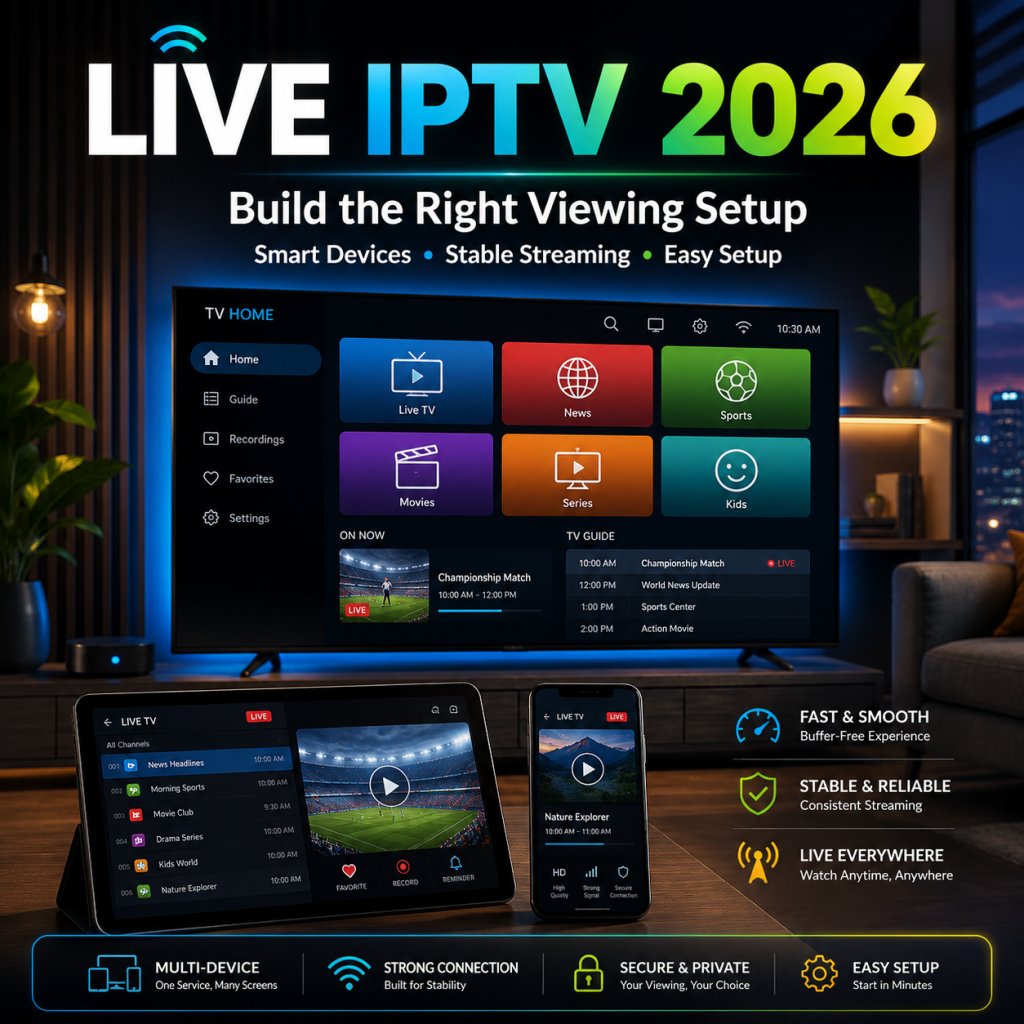
Is 4K Live IPTV Legit? Separate Quality From Authorization
A Live IPTV 4K label describes a picture-quality target. It does not prove that a provider is trustworthy, that every stream is available in native 4K, or that the service has authorization to distribute particular content.
This distinction is important because customers may see “4K” used as a marketing shortcut for quality, reliability, and legitimacy. In reality, these are separate questions.
A buyer should evaluate:
- Whether the device can display 4K
- Whether the player can decode the stream correctly
- Whether the home network can support higher data demands
- Whether the provider explains plan terms clearly
- Whether the payment process is traceable
- Whether support is available
- Whether the content is appropriately authorized
Picture resolution is a technical characteristic. Legitimacy depends on authorization, licensing, contracts, and the rules that apply in the customer’s jurisdiction.
What 4K tells the buyer
The term 4K may refer to a display resolution of approximately 3840 × 2160 pixels in common consumer environments. However, seeing “4K” on a sales page does not tell the customer everything about the final experience.
Picture quality can also depend on:
- Source quality
- Video bitrate
- Compression
- Frame rate
- Codec support
- Player performance
- Device processing
- Display settings
- Network consistency
- Whether the original source is genuinely high resolution
A lower-resolution stream with stable encoding may sometimes look more consistent than a highly compressed stream carrying a 4K label.
What a 4K label does not prove
A 4K claim does not automatically prove:
- Content ownership
- Distribution rights
- Provider identity
- Payment security
- Refund reliability
- Universal regional availability
- Stable performance on every device
- Compatibility with every television
- Continuous availability of high-resolution streams
Customers should therefore avoid choosing a subscription only because the page uses terms such as “Ultra HD,” “premium quality,” or “4K everywhere.”
Five trust categories to examine separately
A responsible buyer should review five different trust areas.
| Trust category | What to verify | What it does not prove |
|---|---|---|
| Provider identity | Contact route, business information, service explanation | Ownership of every item of content |
| Plan transparency | Duration, price, currency, connections, renewal | Perfect technical performance |
| Payment accountability | Receipt, transaction record, order confirmation | Content licensing |
| Support availability | Clear assistance route and realistic expectations | Guaranteed instant resolution |
| Content authorization | Appropriate rights and permissions | Device or network compatibility |
Keeping these categories separate prevents misleading conclusions.
For example, a secure checkout can improve confidence in the payment process. It does not, by itself, prove that every offered stream has appropriate distribution rights.
The World Intellectual Property Organization explains that copyright licensing and rights clearance are central to the lawful distribution and use of protected works in digital environments. Readers can review WIPO’s copyright licensing guidance for general context.
This source should not be used as proof that a specific provider holds particular licences. Only verifiable agreements and documented rights can establish that.
Responsible language for customers and providers
A trustworthy commercial article should use careful language.
A responsible statement is:
Live IPTV is a delivery technology. Customers should use appropriately authorized services and follow the rules that apply in their jurisdiction.
Avoid unsupported claims such as:
- “Fully legal everywhere”
- “DMCA-approved IPTV”
- “Every channel is licensed”
- “Copyright-proof access”
- “No restrictions worldwide”
- “Guaranteed legal streaming”
- “Safe from every copyright complaint”
DMCA-safe marketing means using original visuals, text, icons, diagrams, and promotional material without copying protected posters, logos, screenshots, or advertising assets. It does not replace the need for appropriate content rights.
Case study: a 4K label with weak buyer information
Imagine two services.
Service A promotes “4K premium access” in large text but does not clearly explain:
- Subscription duration
- Number of connections
- Device requirements
- Renewal terms
- Support process
- Payment confirmation
Service B uses more moderate quality language but clearly explains:
- Supported environments
- Current plan duration
- Connection rules
- Setup process
- Support contact
- Payment and renewal information
Service A may have the stronger headline, but Service B provides more information that a customer can use to make a responsible decision.
Good commercial communication reduces uncertainty instead of replacing details with large promises.
Check Payment and Subscription Terms Before Committing
A live IPTV purchase should not begin and end with the displayed price. Customers should understand what they are buying, how long it lasts, how many connections are included, and what records they will receive.
Clear commercial information helps both the buyer and the provider. It reduces misunderstandings, improves support conversations, and makes renewals easier to manage.
Before payment
Confirm the following details:
- Subscription duration
Check whether the offer lasts for one month, several months, one year, or another defined period. - Total amount
Review the full amount rather than only the estimated monthly equivalent. - Currency
Confirm the billing currency before completing payment. - Number of connections
Determine whether the plan supports one active screen or several simultaneous connections. - Renewal model
Check whether renewal is automatic, manual, or arranged through support. - Activation expectations
Understand what information will be delivered and how onboarding begins. - Support route
Save the official contact method for billing, activation, and technical questions. - Cancellation or refund information
Review the published terms before paying. - Valid contact information
Use an email address or contact method that you can access after checkout. - Device readiness
Confirm that the primary device and player are prepared.
After payment
Save:
- Order number
- Transaction confirmation
- Subscription duration
- Activation date
- Expiration date
- Receipt
- Support contact
- Plan name
- Number of connections
- Renewal information
Do not rely only on a browser tab or temporary message. Keep a clear record that can be referenced later.
For a more detailed transaction process, use the WorldIPTV payment checklist. It helps buyers review the process through three practical stages:
Verify → Pay → Validate
Payment clarity table
| Stage | Customer action | Reason |
|---|---|---|
| Before checkout | Confirm price, currency, duration, and connections | Prevent misunderstandings |
| During checkout | Check merchant and payment details | Verify the transaction |
| Immediately after | Save receipt and order confirmation | Create a traceable record |
| After activation | Confirm the received plan matches the order | Identify errors early |
| Before renewal | Review current terms and household needs | Avoid automatic assumptions |
Protect payment and login information
Customers should never post publicly:
- Full payment-card details
- Passwords
- Complete login credentials
- Private playlist information
- Server information
- Full transaction records
- Personal addresses
- Screenshots containing sensitive account data
When contacting support, use the official private communication route and share only the information required to identify the order or issue.
The WorldIPTV Live IPTV Viewing Buyer Path
The most effective commercial journey is not:
Visit page → see large promise → buy the longest plan.
A stronger path guides the customer through the decision logically:
Define the live-viewing need → check readiness → understand onboarding → verify payment terms → compare plans
This approach keeps the page commercially useful without becoming aggressive.
Step 1: Define the live-viewing moment
Write down:
- When you normally watch
- Which screen matters most
- How many users may watch simultaneously
- Whether the session is flexible or time-sensitive
- Whether 4K is a preference or a real requirement
- How much setup help you expect
This information forms the foundation of the plan choice.
Step 2: Complete the readiness score
Review the six score categories from Part 1:
- Main device
- Player setup
- Home network
- Simultaneous screens
- Support route
- Subscription confidence
Use the score to determine the appropriate commitment.
| Readiness score | Suggested commercial route |
|---|---|
| 0–4 | Prepare first and avoid a long commitment |
| 5–8 | Compare short and medium options |
| 9–12 | Compare medium and longer-term value |
Step 3: Understand the subscription process
Customers who have not previously ordered should review the sequence before checkout.
The IPTV subscription process guide explains the main steps involved in:
- Preparing the device
- Checking the connection
- Selecting a plan
- Completing payment
- Receiving activation details
- Performing the initial test
- Saving support information
The live IPTV article should not reproduce every onboarding instruction. Its role is to help the customer decide which setup and commitment are appropriate.
Step 4: Choose the commitment according to evidence
Use this route:
| Customer confidence | Suitable approach |
|---|---|
| Low confidence | Short initial plan |
| Moderate confidence | Short or medium plan |
| High confidence | Medium or longer plan |
| Multi-screen uncertainty | Confirm connections first |
| Device uncertainty | Test the primary device |
| 4K uncertainty | Verify decoding and network readiness |
| Payment uncertainty | Review terms before checkout |
The decision should become more commercial as uncertainty decreases.
Step 5: Compare current WorldIPTV options
When the setup requirements are understood, the customer can review available WorldIPTV subscription options.
Compare current plans according to:
- Main device
- Peak-time routine
- Number of simultaneous screens
- Support needs
- Subscription confidence
- Preferred commitment length
- Total value over time
Current prices and offer details should remain on the dedicated plans page because they may change. The evergreen article should explain the decision process rather than repeating commercial data that could become outdated.
Commercial case study: choosing between short and long commitments
A customer has:
- One tested television
- A reliable wired connection
- A working player
- No need for simultaneous screens
- Previous experience with similar services
- Clear understanding of payment and support
This customer may reasonably compare medium and longer options because the setup has already been tested.
Another customer has:
- A new television
- An untested player
- Weak Wi-Fi in the main room
- Unclear multi-screen requirements
- No previous onboarding experience
The second customer should not choose the longest plan simply because it has a lower monthly equivalent. A shorter initial commitment offers better practical value while the setup is being evaluated.
The strongest commercial recommendation is the one that fits the customer’s current level of certainty.
Your Final Live IPTV Recommendation
There is no single plan that fits every live-viewing environment.
Use one of the following routes.
Route 1: New customer
Choose this route when:
- You have not used the service before.
- Your player has not been tested.
- You are unsure about the onboarding process.
- Your home network has not been evaluated during peak time.
- You do not know how many connections you need.
Recommended actions:
- Prepare one primary device.
- Install the player from an official source.
- Test the home network.
- Review the subscription process.
- Begin with a lower commitment.
- Evaluate the complete experience before extending.
Main priority: reduce uncertainty.
Route 2: Regular scheduled viewer
Choose this route when:
- You watch at predictable times.
- Startup reliability is important.
- You use the guide regularly.
- You need the setup ready before a scheduled broadcast.
Recommended actions:
- Test during the real viewing window.
- Open the player early.
- Confirm guide and navigation performance.
- Save support details.
- Compare short or medium options according to experience.
Main priority: peak-time readiness.
Route 3: Multi-screen household
Choose this route when:
- Several people may use separate screens.
- Devices are located in different rooms.
- Wi-Fi quality varies across the home.
- Simultaneous use is part of the normal routine.
Recommended actions:
- Calculate realistic simultaneous use.
- Confirm the connection policy.
- Test every priority room.
- Improve weak Wi-Fi areas.
- Choose a commitment after capacity is verified.
Main priority: household capacity.
Route 4: Experienced or 4K-focused customer
Choose this route when:
- The device environment is stable.
- The player and network have been tested.
- You understand current plan terms.
- Higher-resolution playback is important.
- You know the number of connections required.
Recommended actions:
- Confirm device decoding.
- Test higher-resolution playback during peak hours.
- Review current commercial terms.
- Separate picture quality from provider legitimacy.
- Compare medium and longer-term value.
Main priority: verified quality and long-term fit.
Final plan-routing table
| Customer situation | Immediate priority | Recommended plan approach |
|---|---|---|
| First purchase | Device and onboarding | Short initial commitment |
| One tested screen | Peak-time consistency | Short or medium |
| Regular scheduled use | Startup and navigation | Medium may fit |
| Two active screens | Connection rules | Confirm before purchase |
| Multi-screen family | Network and capacity | Custom household fit |
| Experienced customer | Current terms and value | Medium or longer |
| Untested 4K setup | Hardware and network | Controlled starting period |
| Unresolved technical problem | Diagnose the environment | Delay long commitment |
Frequently Asked Questions About Live IPTV
Can I watch live TV on IPTV?
Yes. Live television can be delivered through IPTV when the customer has:
An appropriate service
Valid credentials
A compatible player
A supported device
A sufficiently stable internet connection
The player and service provider are separate parts of the setup. The provider supplies access, while the player organizes and displays compatible streams
What is the difference between live IPTV and on-demand viewing?
Live IPTV follows a real-time schedule. The customer needs the player, device, and connection ready when the program begins.
On-demand content can usually be started whenever the customer chooses.
Live viewing therefore places more importance on:
Startup time
Peak-hour performance
Channel switching
Guide accuracy
Simultaneous-screen rules
Preparation before the session
How many screens should I include in my plan?
Choose according to the number of screens expected to be active simultaneously.
Do not count every device owned.
A household may own eight devices but normally use only two screens at the same time. Confirm the provider’s connection rules before choosing a multi-screen option.
How to watch Live IPTV on IPTV Smarters Pro?
The general process is:
Obtain valid credentials from an appropriate IPTV provider.
Download Smarters Pro from an official source.
Open the application.
Enter the credentials supplied by the provider.
Allow categories and guide information to load.
Test one live category.
Confirm playback during normal viewing hours.
Smarters Pro is an independent player. It does not itself provide the subscription or media content.
Is 4K live IPTV legit?
The 4K label does not determine legitimacy.
4K describes picture resolution. Legitimacy depends on matters such as:
Content authorization
Licensing
Contracts
Provider identity
Applicable law
Regional rights
A secure payment page or original website design can support commercial trust, but neither proves content-distribution rights.
Why does live IPTV work during the day but struggle in the evening?
Possible reasons include:
Greater household internet activity
Wi-Fi congestion
Internet-routing conditions
Older router hardware
Background downloads
Several active screens
Peak demand outside the home
Device memory or decoding limitations
Test the same device, player, and room at different times before assuming one cause.
Which subscription duration should a first-time customer choose?
A first-time customer should generally match the commitment to the level of certainty.
A shorter initial option may be more appropriate when:
The device is untested.
The player is unfamiliar.
The network has not been checked at peak time.
Simultaneous-screen needs are unclear.
Support has not been evaluated.
A longer plan becomes more reasonable when the complete setup has already proved suitable.
Find the Right Live IPTV Plan for Your Setup
Choosing live IPTV in 2026 should begin with a clear understanding of how the service will be used.
Before paying, answer these questions:
- When do I normally watch?
- Which device is most important?
- How many screens may be active?
- Has the setup been tested during peak hours?
- Is 4K necessary or only preferred?
- Do I understand the role of the player?
- Is the support route clear?
- Are the payment and renewal terms visible?
- How confident am I about the subscription length?
A useful commercial decision is based on evidence, not pressure.
Customers who are still preparing should begin with the service and onboarding information. Customers with a tested setup can move directly to plan comparison.
Compare WorldIPTV plans for your live-viewing setup and choose according to your priority screen, peak-time routine, simultaneous-use requirements, and preferred commitment.
Find My Live IPTV Plan
Compare current subscription durations and select the option that fits your device, household routine, screen requirements, and level of confidence.