


When people search for hdmi to iptv, they are often trying to solve one of three different problems. Some want to connect a streaming device to a TV using an HDMI cable. Some want to convert an HDMI signal into an IP-based stream. Others are simply looking for a reliable iptv subscription that works smoothly on a TV, box, or app.
These are not the same thing.
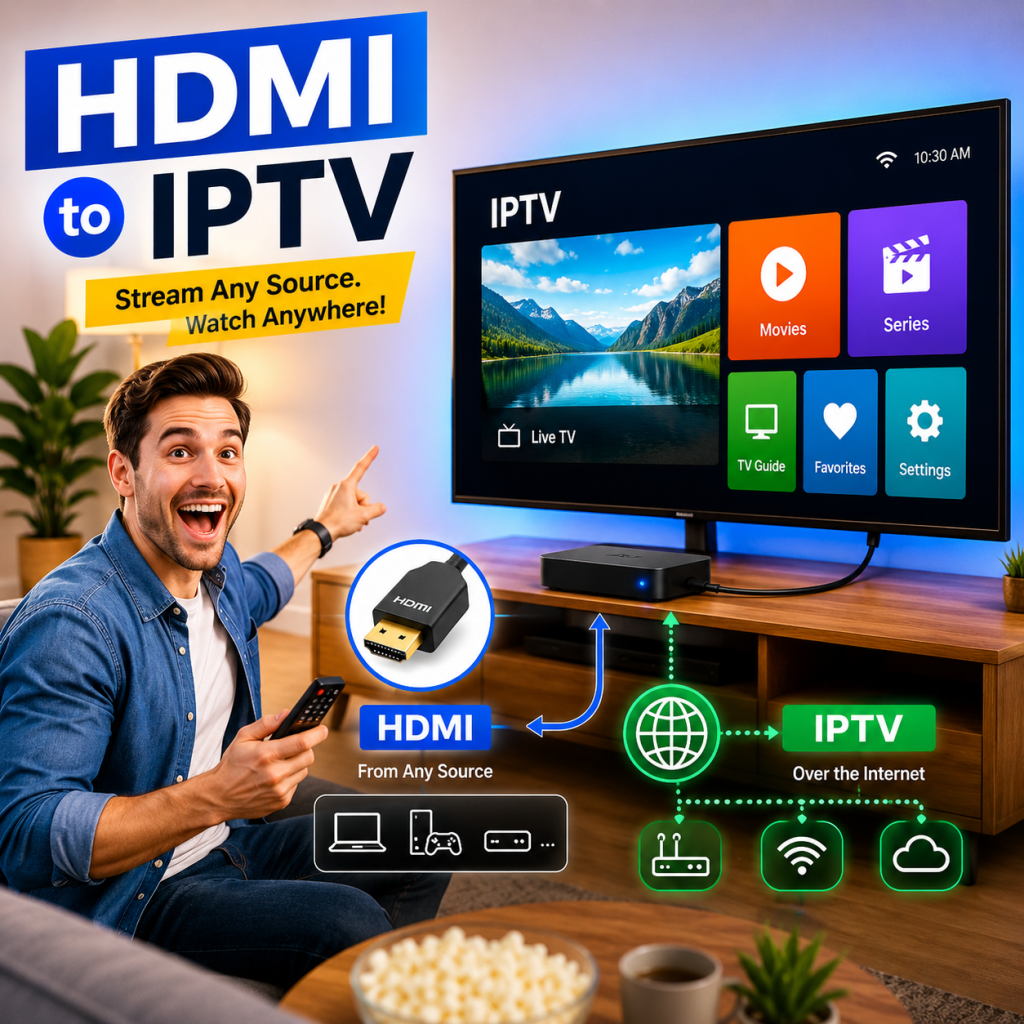
That difference matters because buying the wrong solution can waste money, create setup problems, or lead to poor streaming quality. A cable will not create IPTV service. An IPTV plan will not repair a weak Wi-Fi connection. An HDMI encoder will not automatically make a poor source look better. A strong setup starts with knowing which part of the system you are trying to fix.
In 2026, the smarter approach is not to ask, “What is the fastest way to get IPTV?” The better question is:
What part of my setup do I actually need: HDMI connection, HDMI-to-IP conversion, device support, network stability, or a trustworthy IPTV provider?
This guide is built around that question. It explains how HDMI and IPTV relate to each other, where quality problems usually begin, what safe-use boundaries matter, and how to evaluate an iptv provider without relying on hype, vague claims, or risky shortcuts.
What Does “HDMI to IPTV” Actually Mean?
The phrase hdmi to iptv can be confusing because it mixes two different layers of video delivery.
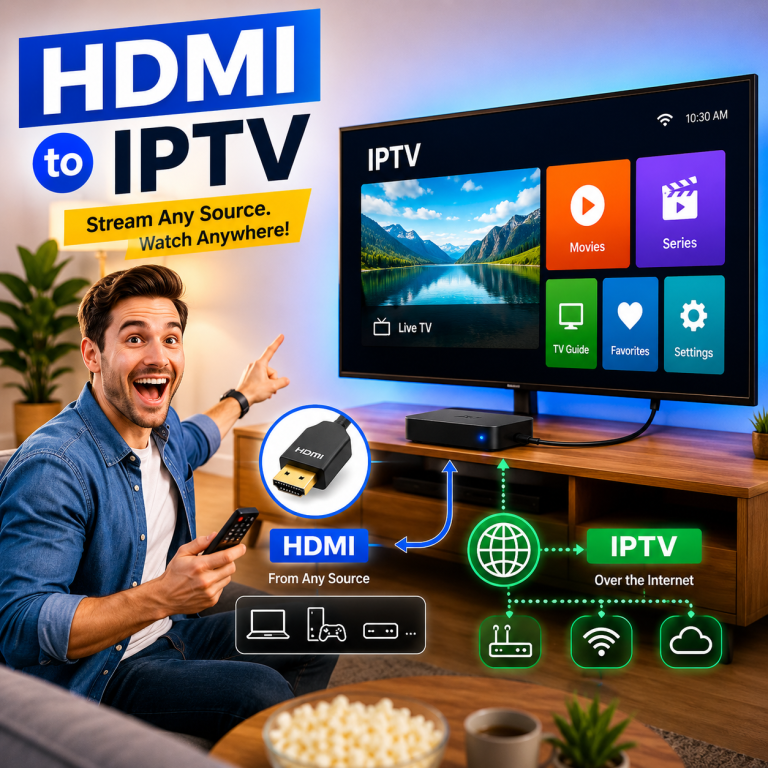
HDMI is usually part of a local hardware setup. IPTV is part of a network-based delivery setup. They can work together, but they are not interchangeable. A TV device may connect to your screen through HDMI while receiving IPTV through the internet. An encoder may take an authorized HDMI input and convert it into a network stream. A normal home user may not need any encoder at all.
Before choosing a device, cable, app, or plan, you should first understand what each part does.
HDMI is a local connection, IPTV is network-based delivery
HDMI is a digital interface used to carry video and audio between nearby devices, such as a TV, monitor, receiver, or external media device. For official technical context, HDMI.org provides information about HDMI specifications and licensing through the HDMI Licensing Administrator.
In simple terms, HDMI is the physical bridge between one device and a screen.
IPTV works differently. IPTV uses an IP-based network to deliver video to a compatible device, app, or player. That network may be your home internet connection, a private internal network, or a managed delivery system depending on the use case.
So when someone says “HDMI to IPTV,” they may be talking about one of two very different things:
- Using HDMI to display IPTV on a TV
- Converting an HDMI source into an IP stream
Those two meanings lead to different buying decisions.
A home user who wants to watch through a TV may only need a compatible device, a stable internet connection, and a suitable iptv subscription. A business, installer, or advanced user who wants to distribute an authorized HDMI signal over a private network may need encoder hardware and more technical planning.
The three common meanings behind hdmi to iptv
Most searches for hdmi to iptv fall into three groups.
| User meaning | What the user may need | What the user may not need |
|---|---|---|
| “I want IPTV on my TV through HDMI” | IPTV subscription, compatible device, HDMI cable, stable internet | HDMI-to-IP encoder |
| “I want to convert an HDMI source into an IPTV-style stream” | HDMI encoder, network setup, compatible stream format | A normal IPTV subscription alone |
| “I do not know why my IPTV does not work on my TV” | Setup diagnosis, device check, provider support, network check | Random cable changes or unnecessary hardware |
This is why the first step should be diagnosis, not purchase.
A user with an older TV may simply need an external device connected through HDMI. A user with a weak router may need a network improvement before changing the IPTV plan. A user trying to distribute their own authorized signal across a building may need a real encoder workflow.
The right answer depends on the signal path.
Why this difference matters before you buy
The biggest mistake is assuming that every video problem has the same solution.
If the TV screen is blank, the problem may be the HDMI input, device output setting, cable, or TV source selection. If the stream buffers, the problem may be internet stability, Wi-Fi congestion, provider reliability, app performance, or device limitations. If the user wants to send an HDMI source across a network, the problem is not a subscription issue; it is a conversion and network design issue.
This is where many buyers get frustrated. They choose an iptv provider before checking whether their local setup is ready. Or they buy hardware before understanding whether a subscription would solve the real need.
A better 2026 decision process looks like this:
- Identify the goal
Do you want IPTV access, HDMI display, or HDMI-to-IP conversion? - Check the local device path
TV, HDMI port, external device, remote control, app support, and display settings. - Check the network path
Wi-Fi strength, router quality, wired option, household device load, and evening performance. - Check the service path
Provider clarity, activation process, support, plan structure, and realistic performance claims. - Choose the right next step
Cable, device, encoder, setup help, or IPTV subscription.
That simple order prevents many bad purchases.
Safe-Use Boundary: What You Should and Should Not Stream
A trustworthy HDMI to IPTV article should not skip safety. Any setup that converts video, delivers streams, or uses IPTV should be handled responsibly.
This guide does not encourage unauthorized streaming, content redistribution, or access to copyrighted material without permission. The safer and more professional approach is to use IPTV and HDMI-to-IP workflows only with content, services, or sources you are allowed to view, distribute, or manage.
This matters for home users, businesses, installers, and technical buyers. The more complex the setup becomes, the more important clear rights, clean sourcing, and responsible provider selection become.
Use only authorized, licensed, or user-controlled sources
If you are converting an HDMI signal into an IP stream, make sure the source is something you are allowed to use in that way. This may include internal training video, business displays, private camera feeds, authorized local media, or other properly controlled sources.
If you are buying an iptv subscription, focus on provider trust, setup clarity, support, device compatibility, and long-term reliability. Do not choose a service because it uses exaggerated claims or unclear promises.
A safe IPTV decision should be based on:
- Clear plan information
- Transparent activation steps
- Device compatibility guidance
- Support availability
- Secure checkout
- Realistic quality expectations
- No suspicious or exaggerated content claims
The goal is not just to find “something that works today.” The goal is to build a stable setup you can use with confidence.
Why trustworthy setup advice avoids “everything unlocked” claims
In the IPTV space, vague promises can be a warning sign. Claims that sound too broad, too aggressive, or too unrealistic often create more risk than value.
A reliable service should not need to rely on pressure language. It should explain what users actually care about:
- How setup works
- Which devices are supported
- What plan options are available
- How activation is handled
- What support looks like
- What users should check before buying
- How to reduce buffering and setup errors
This is especially important for users searching terms like iptv funzionanti. Many people use that phrase because they simply want IPTV that works. But “working” should mean more than opening a stream once. It should mean stable access, clear instructions, responsive support, and a setup that fits the user’s real device environment.
A better way to think about it is:
Working IPTV is not just access. It is compatibility, stability, support, and realistic expectations working together.
That is the difference between a short-term gamble and a setup that feels dependable.
Trust checklist for safe IPTV decision-making
Before buying hardware or choosing an IPTV plan, use this trust checklist.
| Trust factor | Why it matters | What to look for |
| Clear service description | Helps you understand what you are buying | Simple plan pages, no vague promises |
| Device guidance | Reduces setup failure | TV, box, app, and internet recommendations |
| Support path | Helps when activation or setup is confusing | Contact options, help pages, onboarding guidance |
| Secure checkout | Protects the buying process | HTTPS checkout and clear payment flow |
| Realistic quality language | Builds trust | No “perfect forever” or “never buffers” claims |
| Plan clarity | Prevents wrong purchases | Duration, renewal, and package details |
| Setup education | Improves user experience | Guides, FAQs, and troubleshooting content |
This type of checklist is useful because it shifts the decision away from hype and toward practical reliability.
A trustworthy IPTV setup is not only about the provider. It is also about the device, HDMI path, network, app, and user expectations.
The Quality Chain: Where HDMI-to-IPTV Setups Usually Succeed or Fail
A strong hdmi to iptv setup is not one single thing. It is a chain.
If one part of the chain is weak, the whole experience can feel weak. That is why changing a cable, switching apps, or buying a longer plan may not solve the real problem.
Think of the setup like this:
Source → HDMI path → device or encoder → network → app/player → IPTV provider/support
Each part affects the final result.
Source quality
The first quality rule is simple: a weak source cannot become excellent just because it passes through HDMI or IP delivery.
If the original input has poor resolution, unstable output, bad audio sync, or low frame quality, the final experience will usually reflect that. HDMI can carry the signal, and IP delivery can move the stream, but neither can magically rebuild missing quality.
For IPTV users, the same idea applies to service quality. If the provider infrastructure is unstable, the user may experience interruptions even with a good TV and strong internet connection.
Deep setup note:
A good setup should be evaluated from the beginning of the signal path, not only from the screen. Many users judge the final picture and assume the problem is the TV. In reality, the issue may start earlier: weak service delivery, poor app compatibility, overloaded Wi-Fi, incorrect device output settings, or a source that is already limited before it reaches the display.
HDMI compatibility
HDMI compatibility matters when a device is connected directly to a TV or display. In many home IPTV setups, HDMI is simply the connection between the external device and the television.
This is common when:
- The TV does not support the needed app
- The user prefers an external box or stick
- The TV is older but still has HDMI input
- The built-in TV software is slow
- The user wants easier setup and navigation
Before blaming the IPTV service, check the HDMI basics:
- Is the HDMI cable fully connected?
- Is the TV set to the correct HDMI input?
- Does the external device output a resolution the TV supports?
- Is the HDMI port damaged or loose?
- Has another HDMI port been tested?
- Is the device receiving power properly?
- Does the device show a menu before opening the IPTV app?
These checks sound simple, but they prevent a common mistake: assuming the iptv provider is the problem when the display path is not working correctly.
Encoder or conversion layer
Some users searching for hdmi to iptv do not mean a normal home TV setup. They mean they want to convert an HDMI signal into a stream that can be viewed over an IP network.
That usually requires an encoder.
An encoder takes an authorized video/audio input and prepares it for network delivery. Depending on the system, that stream may use formats or protocols designed for local networks, web delivery, or compatible players.
This type of setup is more technical. It may be used in controlled environments such as:
- Business displays
- Internal training rooms
- Private building distribution
- Education environments
- Hospitality-style internal systems
- Authorized local video workflows
It is not the same as buying a regular IPTV subscription.
A normal home user usually does not need this layer. If the real goal is simply to watch IPTV on a TV, the simpler path is usually:
IPTV subscription → compatible app/device → HDMI connection to TV → stable internet
That distinction keeps the buying decision practical and safe.
Quick case study: The wrong HDMI-to-IPTV purchase
Situation:
A user had an older TV and searched for hdmi to iptv because the TV did not support the app they wanted to use.
Mistake:
They assumed they needed HDMI-to-IP conversion hardware.
Real issue:
The TV was only missing app support. The HDMI ports worked fine.
Better solution:
Use a compatible external device connected to the TV through HDMI, then choose an IPTV subscription that supports that device environment.
Lesson:
Not every “HDMI to IPTV” problem is a conversion problem. Sometimes the simplest solution is a supported device, stable internet, and a provider with clear setup guidance.
Network stability
Network quality is one of the most important parts of the IPTV experience. A perfect HDMI cable cannot fix weak Wi-Fi. A good device cannot fully overcome an unstable connection. A strong IPTV plan may still feel poor if the home network drops packets, slows down during peak hours, or struggles with too many connected devices.
For 2026 IPTV users in the USA, the practical network questions are:
- Is the device close enough to the router?
- Can the device use Ethernet instead of Wi-Fi?
- Does the connection slow down at night?
- Are many devices using the network at the same time?
- Is the router outdated?
- Does the IPTV app perform better after restarting the router and device?
- Does the issue happen on one device or every device?
These questions help separate provider problems from local setup problems.
A strong iptv subscription works best when the local environment is ready for it. That means the device, router, Wi-Fi, and playback app all matter.
Part 1 summary
So far, the main point is simple:
HDMI and IPTV are connected in some setups, but they solve different problems.
HDMI handles local device-to-screen connection. IPTV depends on network delivery, app/device support, provider reliability, and setup quality. HDMI-to-IP conversion is a separate technical workflow that most normal home users do not need unless they are distributing an authorized HDMI source over a network.
Before choosing an IPTV provider or buying hardware, identify your real goal:
| If your goal is… | Focus on… |
| Watching IPTV on a TV | Device, app, HDMI connection, IPTV subscription |
| Fixing buffering | Network, provider stability, device performance |
| Using an older TV | HDMI-connected external device |
| Converting an HDMI source to IP | Encoder, network setup, authorized source |
| Choosing a reliable service | Provider trust, support, plan clarity |
In the next part, the article should continue with playback devices, provider reliability, HLS, adaptive streaming, and when HDMI hardware is the wrong solution
Playback device and app
The playback device is where many hdmi to iptv setups either become smooth or frustrating. Even when the internet connection is strong and the IPTV service is stable, the final experience still depends on the device that receives and displays the stream.
For home users, the playback device may be:
- A Smart TV app
- An external device connected through HDMI
- A TV box
- A mobile device casting to a screen
- A computer connected to a monitor or TV
- A private network player in a professional setup
Each option has different limits. Some TVs have slow built-in software. Some apps do not handle playlists or stream formats well. Some older devices struggle with high-resolution playback. Some devices work well at first but become unstable when storage is full, memory is low, or too many background apps are running.
A good IPTV setup is not only about buying the right iptv subscription. It is also about choosing a device that can handle the service properly.
Practical 2026 device checklist:
- Does the device support the app or player you plan to use?
- Does it connect reliably to your internet?
- Does it support the resolution you expect?
- Does it have enough performance for long sessions?
- Is the remote easy to use?
- Can the device be restarted quickly when needed?
- Does the provider offer setup guidance for this type of device?
This is why device fit should be checked before blaming the IPTV plan. A reliable iptv provider can guide setup, but it cannot make every outdated or overloaded device perform like new hardware.
A good IPTV experience is built on service quality and device readiness, not one or the other.
Provider reliability
Provider reliability is the final part of the quality chain, but it is often the first thing buyers think about. That is understandable. If the provider is weak, everything else feels weak too.
However, provider reliability should be judged by more than marketing claims. In the IPTV space, many users look for iptv funzionanti, meaning they want IPTV that works. But a trustworthy definition of “working” should include more than opening a stream once.
Working IPTV should mean:
- Stable access during normal use
- Clear setup instructions
- Responsive support
- Device compatibility guidance
- Realistic plan information
- Secure checkout
- Simple activation
- Clear renewal expectations
A provider that only talks about large numbers, vague promises, or unrealistic quality claims may not give buyers enough useful information. A stronger iptv provider explains how the service is structured, what users should check before buying, and how support works after purchase.
For a trust-based buying path, you can review what makes IPTV reliable over time before choosing a plan. This keeps the decision focused on stability, support, and long-term usability instead of only price.
| Provider signal | Weak sign | Strong sign |
|---|---|---|
| Setup guidance | No clear instructions | Device-based setup help |
| Plan structure | Confusing or vague | Clear duration and package options |
| Support | Hard to find | Easy to understand support path |
| Quality claims | Overpromising | Realistic expectations |
| Trust | Pressure-based sales | Calm, transparent information |
| Device fit | “Works everywhere” claims | Compatibility guidance |
The better approach is simple: choose a provider that helps you understand the full setup, not just the checkout page.
Technical Trust Checks: HLS, Adaptive Streaming, and Playback Stability
Some users researching hdmi to iptv will see technical terms such as HLS, streaming protocol, adaptive playback, encoding, bitrate, latency, and player support. These terms can sound complicated, but the basic idea is simple: video must be prepared and delivered in a way your network and device can handle.
One of the most common terms in modern streaming is HLS, which stands for HTTP Live Streaming.
What HLS means in simple terms
HLS is a streaming method used to deliver video over HTTP. Instead of sending one giant video file all at once, HLS allows media to be delivered in smaller pieces that a compatible player can request and play in sequence.
For technical readers, the formal protocol is documented in the IETF HTTP Live Streaming specification. For normal users, the useful takeaway is this:
HLS helps organize video delivery so compatible devices and players can receive, buffer, and play streams more reliably.
In a practical IPTV environment, HLS may be part of the delivery method behind the scenes. The user may never see it directly. What they notice is whether the stream opens, stays stable, adapts well, and plays smoothly on their device.
HLS is especially relevant when discussing HDMI-to-IP conversion because an encoder or streaming workflow may output a network stream in a format that players can understand. But again, this does not mean every home user needs encoder hardware. It only means that streaming quality depends on how video is prepared, delivered, and played.
Why adaptive streaming matters
Adaptive streaming is important because real home networks are not perfect. Speed changes. Wi-Fi gets crowded. Other devices use bandwidth. Evening traffic may be heavier than morning traffic. A good streaming workflow should be able to handle some of these changes.
Apple’s HTTP Live Streaming overview explains HLS as a technology for delivering media using standard web infrastructure and adapting to network conditions. In simple terms, adaptive delivery can help a stream continue playing when conditions change, instead of failing immediately.
This does not mean adaptive streaming creates perfect quality every time. It means the system may adjust delivery based on what the device and network can handle.
Example:
If your network becomes weaker for a few minutes, an adaptive stream may reduce quality temporarily to keep playback going. Without that flexibility, the stream may freeze, buffer, or stop.
For IPTV users, this matters because smooth playback is not only about maximum resolution. Sometimes, the best experience is the one that stays stable.
Practical insight:
A user may believe they want the highest possible picture quality at all times. But if the network is unstable, a slightly lower but steady stream can feel better than a high-resolution stream that freezes every few minutes. Stability often creates more satisfaction than chasing the highest setting.
What HLS does not fix
HLS is useful, but it is not magic. It is only one part of the streaming chain.
HLS does not fix:
- Unauthorized content sources
- Weak provider infrastructure
- Poor Wi-Fi coverage
- Overloaded routers
- Old playback devices
- Bad app performance
- Incorrect HDMI input settings
- Low-quality source material
- Unrealistic buyer expectations
This is important because technical terms can sometimes make a service sound more advanced than it really is. A provider may mention streaming technology, but users should still ask practical questions:
- Does the service work well on my device?
- Is the setup process clear?
- Is support available if activation fails?
- Are the plans easy to understand?
- Is the provider realistic about performance?
- Does the provider avoid exaggerated claims?
For users searching iptv funzionanti, the real question is not only “Does this use modern streaming technology?” The better question is:
Does the full setup work reliably on my device, with my internet, through a provider that explains things clearly?
That is the trust-based standard.
When HDMI Hardware Is the Wrong Solution
Not every hdmi to iptv search should lead to hardware. In fact, many home users do not need HDMI-to-IP conversion hardware at all.
They may only need a practical viewing setup:
IPTV subscription → compatible app or device → HDMI connection to TV → stable internet
This is very different from a professional encoder workflow.
If you only want IPTV access, you probably do not need an HDMI-to-IP encoder
An HDMI-to-IP encoder is designed to convert an authorized HDMI source into a stream that can travel across an IP network. That can be useful in business, education, private internal display systems, or controlled technical environments.
But if your goal is simply to watch IPTV on your TV at home, you usually do not need that type of hardware.
You probably need:
- A compatible TV or external device
- A stable internet connection
- The right app or player
- A clear activation process
- A reliable iptv subscription
- Provider support if setup becomes confusing
This is where many buyers make the wrong turn. They search for “hdmi to iptv,” see hardware terms, and assume they need an advanced converter. But if the TV already has HDMI and the device can run the IPTV app, the HDMI part may simply be the connection between the device and the screen.
A better starting point is to match your setup to the correct buying path. You can start with the WorldIPTV buyer matrix to think through device fit, support needs, plan choice, and long-term use before choosing blindly.
If your TV is older, an HDMI-connected device may be enough
Older TVs often create confusion because they may still have good screens but weak software. The TV may not support modern apps, may load slowly, or may no longer receive useful updates. In that case, the TV itself does not need to be replaced immediately.
If the TV has a working HDMI input, an external device may solve the viewing problem.
This type of setup is common:
| Older TV issue | Practical solution |
|---|---|
| No modern app support | Use an external HDMI-connected device |
| Slow built-in software | Use a faster external device |
| App crashes often | Try a more stable player/device |
| Remote navigation is poor | Choose a device with a better remote |
| Wi-Fi inside TV is weak | Use a device with better connectivity |
| TV picture is fine but software is outdated | Keep the TV, improve the device layer |
This is not the same as HDMI-to-IP conversion. It is simply using HDMI as the display connection.
Case study: Older TV, simple fix
A USA household had a TV that worked well for regular display use, but the built-in app store was limited. The user searched for hdmi to iptv because they thought IPTV needed a special HDMI converter.
After checking the setup, the real issue was simple: the TV could not run the needed app smoothly. The better path was an external device connected through HDMI, followed by a compatible IPTV plan and clear setup guidance.
Result:
The user avoided buying unnecessary encoder hardware and focused on the correct parts of the setup: device compatibility, internet stability, and provider support.
Lesson:
An older TV does not always mean a broken setup. Sometimes the right HDMI-connected device is enough.
If your issue is buffering, HDMI may not be the cause
Buffering is one of the most common IPTV complaints, but HDMI is rarely the first cause.
HDMI problems usually show as:
- No picture
- No sound
- Flickering screen
- Wrong input selected
- Resolution mismatch
- Loose cable
- Device not detected
Buffering usually points somewhere else:
- Weak Wi-Fi
- Router congestion
- Slow evening internet
- Overloaded device
- App instability
- Provider delivery issues
- Too many devices using the network
- Poor stream handling
This distinction matters because replacing an HDMI cable will not fix a weak network. Buying a longer iptv subscription will not fix an overloaded router. Switching apps may not fix a weak provider. The real fix depends on the real cause.
A simple buffering diagnosis table can help:
| Symptom | More likely cause | First check |
|---|---|---|
| Screen says no signal | HDMI/device issue | Input, cable, power, port |
| Stream opens then freezes | Network or provider issue | Wi-Fi strength, router, device |
| All apps are slow | Device or internet issue | Restart device/router |
| Only IPTV app struggles | App/provider/setup issue | Try support or setup guide |
| Works near router but not far away | Wi-Fi coverage issue | Move device or use Ethernet |
| Works in morning, fails at night | Network congestion or peak load | Test evening performance |
For users who want iptv funzionanti, this type of diagnosis is more useful than simply searching for another provider every time something goes wrong.
A stable experience comes from the full setup working together.
How to Evaluate an IPTV Provider When HDMI Is Part of the Setup
Once the HDMI path, device, and network have been checked, the provider decision becomes clearer. At this stage, the question is no longer “What is HDMI to IPTV?” The better question is:
Which IPTV provider gives me the clearest, safest, and most reliable path for my actual setup?
A good provider should help reduce confusion. It should not make the buyer feel rushed.
Look for setup clarity, not vague promises
A trustworthy iptv provider should explain the service in a way normal users can understand. This matters even more when HDMI is involved because the user may already be confused about devices, apps, cables, and activation.
Look for provider information that answers:
- What type of devices can be used?
- How does activation work?
- What should the user prepare before subscribing?
- Is support available after purchase?
- Are plan durations clear?
- Is the checkout process secure?
- Does the provider avoid unrealistic claims?
Good setup clarity helps users make better decisions. It also reduces support problems after purchase because the user knows what to expect.
A provider that invests in educational content is usually easier to evaluate than one that only pushes a checkout button. For a deeper quality-focused view, you can compare what makes IPTV reliable before deciding.
Check whether the IPTV subscription fits your actual device environment
The best iptv subscription is not always the longest plan or the cheapest plan. It is the plan that fits your real environment.
A one-person setup on one device is different from a household with several devices. A wired device near the router is different from a TV far away using weak Wi-Fi. A user who has installed IPTV before is different from a beginner who needs setup help.
Before subscribing, check these fit factors:
| Fit factor | Why it matters |
|---|---|
| Number of devices | Helps avoid choosing the wrong plan |
| Main screen type | Smart TV, HDMI device, mobile, or computer |
| Internet quality | Affects stability and buffering |
| User experience level | Beginners may need more guidance |
| Support needs | Important during activation and setup |
| Viewing habits | Occasional use vs daily long sessions |
| Plan duration | New users may prefer a careful first step |
If you are new to the process, it is safer to learn how IPTV subscription setup works before choosing a plan. That way, the purchase is based on setup readiness, not guesswork.
Buyer note:
A plan should match the user’s device and support needs. A strong offer can still feel frustrating if the user chooses it before understanding the setup process.
Treat “working IPTV” claims carefully
The phrase iptv funzionanti is often used by people who want IPTV that works reliably. That is a reasonable goal, but it should be interpreted carefully.
“Working” should not mean:
- It opened once
- It sounded impressive in an ad
- It used big promises
- It claimed perfect quality
- It avoided explaining setup limits
A better definition is:
IPTV funzionanti means IPTV that is stable, understandable, supported, and compatible with the user’s real setup.
That includes:
- A provider that explains plans clearly
- A device that can run the app properly
- A network that can support streaming
- A setup process the user can follow
- Support if something goes wrong
- Realistic expectations about performance
This trust-based definition is stronger for long-term users because it avoids impulse buying.
Evaluate support before evaluating price
Price matters, but support often matters more when the setup is new or confusing.
A low-cost plan can become frustrating if the user cannot activate it, does not know which app to use, or has no guidance when the stream fails. A better provider helps users understand the process before and after purchase.
Support is especially important for:
- First-time IPTV users
- Older TV setups
- HDMI-connected external devices
- Multi-device homes
- Users with weak Wi-Fi
- Users who need activation help
- Users comparing short-term and long-term plans
You can explore WorldIPTV’s service structure to review how the service presents setup, support, compatibility, and user guidance.
A calm buying decision usually leads to a better experience than a rushed one.
Part 2 summary
The second part of the hdmi to iptv decision is about technical trust and provider fit.
The main lessons are:
- HLS is a useful streaming delivery method, but it does not guarantee quality by itself.
- Adaptive streaming can help with changing network conditions, but it cannot fix every setup problem.
- Many home users do not need HDMI-to-IP encoder hardware.
- Older TVs may only need a better HDMI-connected device.
- Buffering is usually more related to network, device, app, or provider issues than the HDMI cable.
- A trustworthy IPTV provider should explain setup, support, plan structure, and realistic expectations.
- A good IPTV subscription should fit the user’s device environment, not just the user’s budget.
In the next part, the article should continue with the USA setup checklist, comparison framework, recommended WorldIPTV path, and common HDMI-to-IPTV mistakes to avoid.
USA Setup Checklist Before You Buy or Change Anything
Before choosing hardware, changing your device, or buying a longer IPTV plan, it is smart to check the full setup. A strong hdmi to iptv experience depends on more than one part. Your TV, HDMI connection, device, app, internet, router, and iptv provider all work together.
In 2026, many users in the USA have fast internet on paper, but still experience streaming problems because the local setup is not balanced. A speed test may look good, but the actual IPTV experience may still suffer if the router is far away, the device is old, the app is unstable, or too many devices are using the network at the same time.
The goal of this checklist is simple: find the weakest part of the chain before spending money.
Device checklist
Your device is the bridge between the IPTV service and your screen. If that device is slow, outdated, unsupported, or poorly connected, even a good iptv subscription may feel unreliable.
Check these items before buying or changing anything:
- Does your TV support the app or player you want to use?
- If not, do you have an external HDMI-connected device?
- Is the device fast enough for long streaming sessions?
- Does the device have enough storage and memory?
- Does the remote control make navigation easy?
- Can the device connect to Ethernet or strong Wi-Fi?
- Can the device be restarted easily?
- Does the device receive updates?
- Is the HDMI output working correctly?
- Is the TV set to the correct HDMI input?
A common mistake is treating the TV as the whole setup. In reality, many TVs are only good as screens. Their built-in software may become slow over time, especially if the TV is older. In that case, using a better external device through HDMI can create a smoother experience without replacing the entire TV.
Device-readiness table
| Device factor | Good sign | Warning sign |
|---|---|---|
| App support | App installs and opens normally | App unavailable or crashes often |
| Performance | Menus respond quickly | Delays, freezing, or slow loading |
| HDMI output | Picture and sound are stable | Flickering, no signal, or audio issues |
| Internet connection | Strong Wi-Fi or Ethernet | Weak signal or frequent disconnects |
| Updates | Device still receives updates | Old software with no support |
| Usability | Remote is simple and responsive | Hard navigation or repeated errors |
Practical insight:
If the device struggles before the IPTV app even opens, the issue is probably not the provider. Test the device menu, internet connection, and HDMI output first. A stable device should feel responsive before you judge the IPTV service itself.
Network checklist
Network stability is one of the most important parts of IPTV quality. A user may search for iptv funzionanti because they want IPTV that works, but the service cannot perform well if the home network is unstable.
For USA households in 2026, network problems often come from real-life usage patterns. Multiple phones, laptops, smart devices, gaming systems, cameras, and TVs may all share the same connection. The internet plan may be fast enough, but the router or Wi-Fi coverage may not be strong enough in the room where the TV is located.
Before blaming the IPTV provider, check:
- Is the router close to the streaming device?
- Is the IPTV device connected by Ethernet if possible?
- Does the stream perform better near the router?
- Does buffering happen mostly at night?
- Are many devices using the internet at the same time?
- Is the router older than the rest of your setup?
- Does restarting the router improve playback?
- Does the issue happen on one device or all devices?
- Is the Wi-Fi signal blocked by walls, distance, or interference?
Network diagnosis table
| Problem | Possible cause | First action |
|---|---|---|
| Stream buffers every few minutes | Weak Wi-Fi or provider instability | Test closer to router |
| Works on phone but not TV | Device or app issue | Test another app/device |
| Works in morning, fails at night | Network congestion | Test evening speed and stability |
| Only one room has problems | Wi-Fi coverage issue | Move router or use Ethernet |
| All devices are slow | Router or internet issue | Restart router and test connection |
| IPTV fails but other apps work | App/provider/setup issue | Check activation and support |
Deep setup note:
A speed test is useful, but it does not tell the whole story. IPTV stability depends on consistent delivery, not just peak speed. A connection that reaches a high speed for five seconds may still be poor for long streaming sessions if it drops, spikes, or becomes unstable under household load.
Plan checklist
Once the device and network look ready, you can evaluate the plan. This is where commercial intent matters, but the decision should still feel calm and practical.
The best iptv subscription is not always the longest plan. It is the plan that matches your device, household, support needs, and confidence level. A new user may prefer to start carefully, while an experienced user with a stable setup may feel more comfortable choosing a longer option.
Before choosing a plan, check:
- How long is the plan?
- Does the plan match your number of devices?
- Is the activation process clear?
- Is support available if setup fails?
- Are renewal details easy to understand?
- Is the checkout process secure?
- Does the provider explain what users should prepare?
- Does the plan fit your actual device environment?
- Are there setup guides for beginners?
Plan-fit table
| Buyer type | Better plan approach | Why |
|---|---|---|
| New IPTV user | Start with a careful first plan | Reduces risk while testing setup |
| Experienced user | Choose based on long-term fit | Better for stable known setups |
| Older TV user | Confirm device/app compatibility first | Avoids buying before setup is ready |
| Multi-device household | Check device and plan limits | Prevents wrong expectations |
| Support-focused buyer | Prioritize guidance and service structure | Easier activation and troubleshooting |
| Value-focused buyer | Compare long-term usability, not only price | Better total experience over time |
A plan should not be chosen only because it looks cheaper. A low price can feel expensive if the user cannot set it up, cannot get support, or uses it on the wrong device.
Trust checklist
Trust is especially important in IPTV because many users are exposed to vague claims, copied pages, unrealistic promises, and confusing technical language. A reliable iptv provider should make the buying process easier to understand, not more confusing.
Use this trust checklist before making a decision:
- Does the website explain the service clearly?
- Are plans easy to compare?
- Is there a visible support path?
- Does the provider avoid exaggerated claims?
- Is the checkout flow secure?
- Are setup and activation steps explained?
- Does the site help users understand device compatibility?
- Does the provider focus on reliability, support, and usability?
- Does the content feel original and helpful?
- Does the provider avoid unsafe or copyrighted promotional references?
Trust quote for buyers:
A trustworthy IPTV decision is not based on the loudest claim. It is based on the clearest setup, the most realistic expectations, and the support available after purchase.
This is also useful from an SEO and indexing perspective. A page that gives real setup guidance, explains safe boundaries, and helps users make decisions is stronger than a thin page that only repeats “best IPTV” language.
Comparison Framework: Which HDMI-to-IPTV Path Fits Your Use Case?
The phrase hdmi to iptv is useful only when you connect it to a real situation. A beginner at home, a user with an older TV, a business trying to distribute an authorized HDMI signal, and a buyer comparing providers do not need the same solution.
This comparison framework helps readers choose the right path without overbuying hardware or choosing the wrong IPTV plan.
| User situation | What you probably need | What you probably do not need | Main quality risk | Best next step |
|---|---|---|---|---|
| You have a Smart TV and want IPTV access | IPTV subscription, compatible app, stable internet | HDMI-to-IP encoder | App or provider instability | Check provider trust and plan fit |
| You have an older TV with HDMI but weak app support | External HDMI-connected device plus IPTV subscription | Professional encoder hardware | Old device or weak Wi-Fi | Test device compatibility first |
| You want to distribute your own authorized HDMI source over a private network | HDMI-to-IP encoder, network planning, compatible player | Consumer IPTV plan alone | Latency, protocol support, network design | Evaluate encoder and network requirements |
| You already have IPTV but it buffers | Network/provider/device diagnosis | Random HDMI cable replacement as first fix | Misdiagnosing the issue | Test router, device, app, and provider |
| You want a long-term home IPTV setup | Reliable IPTV provider, clear plan, support, stable device | Unnecessary conversion hardware | Choosing by price only | Compare service structure and support |
| You are new and confused by setup terms | Beginner-friendly provider guidance | Advanced hardware before diagnosis | Buying the wrong solution | Start with device and network checks |
This table shows why the safest buying path is not always the most technical one. Many users do not need HDMI conversion. They need a clearer understanding of whether the HDMI layer, device layer, network layer, or provider layer is causing the problem.
Case study: Smart TV buyer choosing the wrong solution
Situation:
A user had a modern Smart TV and searched for hdmi to iptv because they thought IPTV required a special HDMI adapter.
Problem:
The TV already had app support, and the HDMI ports were not part of the issue.
Real need:
The user needed a clear IPTV setup path, stable internet, and a suitable iptv subscription.
Better decision:
Instead of buying hardware, the user checked device compatibility, confirmed the app path, reviewed provider support, and selected a plan that matched their usage.
Lesson:
If your TV already supports the right app or device setup, the main decision may be provider quality, not HDMI hardware.
Case study: Older TV with a good screen but poor software
Situation:
A household had an older TV with a clear display but slow built-in apps. They wanted IPTV on the main screen and searched for “HDMI to IPTV” because they thought the TV needed conversion.
Problem:
The TV software was outdated, but the HDMI ports still worked.
Real need:
An external HDMI-connected device, stable internet, and a provider with clear activation support.
Better decision:
The user kept the TV, improved the device layer, and focused on plan fit instead of replacing the screen or buying encoder hardware.
Lesson:
A weak Smart TV system does not always mean the display is useless. HDMI can allow a better external device to handle the IPTV experience.
Case study: Professional HDMI-to-IP conversion need
Situation:
A small organization wanted to show an authorized internal video feed on multiple screens inside a private environment.
Problem:
A normal IPTV subscription was not the right solution because the goal was to distribute a controlled HDMI source over a network.
Real need:
HDMI-to-IP encoder hardware, network planning, compatible receiving devices, and a legal source-use policy.
Better decision:
The organization separated the technical conversion need from consumer IPTV service selection.
Lesson:
When the goal is internal signal distribution, the project is about encoding, networking, and authorized content. It is not the same as subscribing to IPTV for home viewing.
Recommended WorldIPTV Path Based on Your Goal
After you understand your setup path, the next step becomes easier. WorldIPTV should be positioned as a practical provider choice for users who want clear plans, setup support, long-term usability, and a smoother buying process.
The goal is not to pressure the reader. The goal is to guide them toward the next useful step based on what they actually need.
If you are still deciding what you need
If you are unsure whether you need a device, a plan, setup help, or a longer-term IPTV option, start with the buyer decision process first.
You can start with the WorldIPTV buyer matrix to compare your device environment, support needs, viewing habits, and plan confidence before making a decision.
This is useful for users who are still asking:
- Do I need a new device?
- Is my TV ready?
- Should I test first?
- Which plan fits my usage?
- Do I need support during setup?
- Am I solving an HDMI problem or an IPTV provider problem?
This path works best for cautious buyers who want to avoid mistakes before paying.
If you care most about reliability and trust
If your main concern is reliability, the provider evaluation should come before the plan decision. A service may look attractive on the surface, but the better question is whether it explains setup, support, compatibility, and expectations clearly.
You can see what makes IPTV reliable over time if you want to evaluate stability, service quality, and long-term usability before comparing plans.
This is the right path for users who search for iptv funzionanti because they want something dependable, not just something that opens once.
A reliability-focused decision should consider:
- Provider clarity
- Setup help
- Service structure
- Device compatibility
- Support availability
- Realistic claims
- Value over time
If you want to understand the service structure
Some buyers do not want to jump directly to plans. They want to understand how the provider presents its service, how setup works, and whether the brand feels organized and trustworthy.
You can explore WorldIPTV’s service structure to review the service environment before choosing a plan.
This path is useful when the reader wants to know:
- What does the provider emphasize?
- Is the service beginner-friendly?
- Is the setup path clear?
- Does the provider explain compatibility?
- Is support part of the value?
- Does the site feel organized?
A structured service page can build more trust than a hard-sell landing page because it helps users understand what they are buying.
If you need setup and activation help
If you are ready to subscribe but still unsure how the process works, it is better to learn the steps before buying. This reduces confusion and makes activation smoother.
You can follow the IPTV subscription setup process to understand the path from device check to plan choice, checkout, activation, setup, and testing.
This is especially helpful for:
- First-time IPTV users
- Older TV users
- HDMI-connected device setups
- Users switching from another provider
- Buyers who want to avoid activation mistakes
- Users who need a calm step-by-step path
The more prepared the user is before subscribing, the better the first experience usually feels.
If you are ready to compare options
If your device, HDMI path, network, and setup expectations are clear, then you can move to plan comparison.
You can compare WorldIPTV plans when you are ready to choose based on duration, support, value, and long-term fit.
A good final buying question is:
Which plan fits my real setup, instead of which plan looks most attractive at first glance?
That question keeps the decision practical. It also helps reduce buyer regret because the plan is connected to the user’s device, network, and support needs.
Common HDMI-to-IPTV Mistakes to Avoid
Many hdmi to iptv problems come from misunderstanding the role of each part of the setup. Avoiding these mistakes can save time, money, and frustration.
Mistake 1: Thinking HDMI creates IPTV
HDMI does not create IPTV. HDMI connects a device to a screen. IPTV depends on an IP-based delivery system, an app or player, a compatible device, and usually an iptv subscription from a provider.
If a user connects a device to a TV with HDMI, that only handles the display connection. The IPTV service still needs to come through the app, device, internet, and provider.
Simple explanation:
HDMI is the road from the device to the TV. IPTV is the service coming through the network. They meet in the setup, but they are not the same thing.
Mistake 2: Buying encoder hardware when a subscription is the real need
Some users see HDMI-to-IPTV encoder products and assume they need one for normal home IPTV. Most do not.
An encoder is useful when you need to convert an authorized HDMI source into a network stream. This is usually a technical or professional use case.
For normal home viewing, the more common need is:
- Compatible device
- Working HDMI connection
- Stable internet
- Clear IPTV app/player setup
- Reliable IPTV provider
- Suitable IPTV subscription
Buying encoder hardware before diagnosis can make the setup more expensive and more confusing.
Mistake 3: Choosing an IPTV provider before checking the device
A provider may be reliable, but the user’s device may still create problems. This happens when the TV is old, the app is unstable, the device has low memory, or the HDMI-connected hardware is underpowered.
Before judging the provider, check:
- Does the device work smoothly?
- Does the app open correctly?
- Is the HDMI output stable?
- Is the device connected to strong internet?
- Does another device perform better?
- Is the problem happening across all services or only one app?
This prevents unfairly blaming the provider when the real issue is local hardware.
Mistake 4: Confusing “working” with “trustworthy”
The phrase iptv funzionanti often means “IPTV that works,” but working once is not enough. A service should be evaluated over the full experience.
A trustworthy IPTV setup should include:
- Stable performance
- Clear activation
- Device compatibility
- Support access
- Realistic quality expectations
- Secure checkout
- Plan transparency
- Long-term usability
A service that opens once but has no support, unclear plans, or confusing setup may not be the best choice.
Better standard:
Do not only ask, “Does it work?” Ask, “Does it work reliably, clearly, and safely for my setup?”
Mistake 5: Buying the longest plan before testing the setup
Longer plans can offer better value for users who already trust their setup, device, network, and provider. But for new users, buying the longest plan before testing can create risk.
Before choosing a long-term option, check:
- Your device is compatible
- Your internet is stable
- Your app setup is clear
- You understand activation
- Support is available if needed
- The provider’s plan structure is clear
- You are comfortable with the service path
A careful first decision is often better than a rushed long-term commitment.
Part 3 summary
At this stage, the article has moved from technical explanation to practical buying guidance.
The main takeaways are:
- A strong hdmi to iptv setup depends on device, network, plan, and provider trust.
- Many USA users in 2026 do not need HDMI-to-IP encoder hardware for home IPTV.
- Older TVs may work well with an external HDMI-connected device.
- Buffering is usually not caused by HDMI alone.
- The right iptv subscription should match the user’s real setup.
- A trustworthy iptv provider should explain plans, setup, support, and expectations clearly.
- “Working IPTV” or iptv funzionanti should mean stable, supported, compatible, and realistic—not just active for a moment.
In the final part, the article should close with FAQs, a trust-led conclusion, and a calm final CTA that routes ready users toward the right WorldIPTV next step.
Final Decision: Technical Clarity First, Subscription Second
A good hdmi to iptv decision should not start with a checkout page. It should start with a clear understanding of your setup.
In 2026, many users want a simple result: IPTV that works smoothly on their TV. But the path to that result depends on what problem they are actually solving. Some users need a better HDMI-connected device. Some need stronger Wi-Fi or Ethernet. Some need a clearer activation process. Some need a more reliable iptv provider. A smaller group may truly need HDMI-to-IP encoder hardware for authorized private distribution.
The safest order is:
- Understand the HDMI role
- Check the device
- Test the network
- Confirm the app or player
- Evaluate provider trust
- Choose the IPTV subscription that fits the setup
This order protects you from buying the wrong solution. It also helps you avoid blaming the wrong part of the system when something does not work.
If you need to connect a device to your TV
If your main goal is to watch IPTV on a TV, HDMI may only be the display connection. In that case, the setup is usually simple:
IPTV subscription → app or player → external device → HDMI cable → TV
This is common for older TVs, TVs with weak app support, or users who prefer a separate device for better performance.
Before buying anything, check:
- The TV has a working HDMI input
- The external device supports your app or player
- The device has stable internet
- The HDMI cable and port work correctly
- The provider gives clear setup instructions
- You understand the activation process
If these items are ready, you probably do not need professional HDMI-to-IP conversion hardware.
If you need to convert an authorized HDMI source into a network stream
If your goal is to send an HDMI source across an IP network, then you are dealing with a more technical setup. This is where encoder hardware may be relevant.
This type of workflow may apply to:
- Private business displays
- Internal training video
- Authorized local media distribution
- Education environments
- Controlled building networks
- Professional AV systems
In this case, the decision is not mainly about an IPTV subscription. It is about:
- HDMI input quality
- Encoder capability
- Network design
- Stream format compatibility
- Latency tolerance
- Receiving device support
- Rights to use and distribute the source
This type of setup should be planned carefully. The source should be authorized, the network should be stable, and the receiving devices should support the chosen stream format.
Important note:
An HDMI-to-IP encoder is not a shortcut to IPTV service. It is a technical tool for converting a permitted HDMI signal into a network-deliverable stream.
If your real goal is IPTV access
For most home users, the real goal is not HDMI conversion. The real goal is reliable IPTV access on a TV or device.
In that case, your decision should focus on:
- A stable IPTV provider
- A clear IPTV subscription
- Device compatibility
- Setup support
- Network readiness
- Secure checkout
- Realistic expectations
- Long-term usability
This is where WorldIPTV can be positioned naturally. Once your HDMI path, device, and network are clear, you can compare plans based on what fits your setup instead of choosing blindly.
The best plan is not always the longest plan or the cheapest plan. The best plan is the one that matches your device, support needs, and confidence level.
2026 HDMI-to-IPTV decision scorecard
Use this scorecard before making your final decision.
| Question | Yes | No | What it means |
|---|---|---|---|
| Do you only want IPTV on your TV? | ✅ | You likely need a device/app/provider setup, not an encoder | |
| Is your TV older but has HDMI? | ✅ | An external HDMI-connected device may be enough | |
| Are you trying to distribute your own authorized HDMI source? | ✅ | You may need encoder hardware and network planning | |
| Does your stream buffer often? | ✅ | Check network, device, app, and provider before blaming HDMI | |
| Is your provider clear about setup and support? | ✅ | Better trust signal | |
| Are the plan details easy to understand? | ✅ | Better buying confidence | |
| Are claims exaggerated or unclear? | ✅ | Safer sign | |
| Have you tested your device and internet? | ✅ | Better chance of smooth activation |
This scorecard gives the reader a practical way to choose the next step without overcomplicating the decision.
Frequently Asked Questions About HDMI to IPTV
Do I need an HDMI-to-IPTV encoder at home?
Most home users do not need an HDMI-to-IPTV encoder.
An encoder is usually needed when you want to convert an authorized HDMI source into a stream that can travel across a private IP network. That is more common in professional, business, education, or internal display environments.
For normal home IPTV viewing, you usually need:
A compatible TV or external device
A working HDMI connection if using an external device
A stable internet connection
A suitable app or player
A reliable IPTV subscription
Support from the IPTV provider if setup is confusing
If your goal is simply to watch IPTV on a TV, start with device and provider compatibility before considering encoder hardware.
Can an HDMI cable fix IPTV buffering?
Usually, no.
An HDMI cable can cause display problems such as no signal, flickering, audio issues, or resolution problems. But buffering is usually connected to network stability, device performance, app behavior, or provider delivery.
If your IPTV buffers, check:
Wi-Fi strength
Router performance
Ethernet availability
Device speed
App stability
Provider reliability
Peak-hour internet performance
Whether the issue happens on one device or all devices
Replacing an HDMI cable may help if the screen has signal problems, but it usually will not fix stream buffering.
What should I ask an IPTV provider before buying?
Before choosing an iptv provider, ask practical questions that help you understand the service clearly.
Useful questions include:
Which devices are supported?
How does activation work?
Is setup help available?
Are plan durations clear?
Is the checkout process secure?
What should I prepare before subscribing?
Can the provider explain compatibility?
Does the provider avoid unrealistic claims?
Is the service structure easy to understand?
Is there guidance for beginners?
A trustworthy provider should make the buying process clearer, not more confusing.
What does iptv funzionanti mean for buyers?
Iptv funzionanti is often used by people who want IPTV that works reliably. But buyers should define “working” carefully.
A better meaning is:
IPTV that is stable, supported, compatible, clearly explained, and realistic for the user’s setup.
It should not only mean that something opens once. A better IPTV experience should include:
Stable playback
Clear setup
Device compatibility
Support access
Secure buying process
Realistic quality expectations
Plan transparency
This is a safer way to evaluate IPTV because it focuses on the full user experience.
Can I use an older TV for IPTV in 2026?
Yes, in many cases.
If the older TV has a working HDMI input, you may be able to use an external device that supports IPTV apps or players. This can be a practical way to keep using a good screen even if the TV’s built-in software is outdated.
Before deciding, check:
HDMI port condition
External device compatibility
Internet connection strength
App/player support
Remote control usability
Provider setup guidance
An older TV does not always need to be replaced. Sometimes the device layer simply needs to be improved.
Final Setup Summary: Choose the Right Layer Before You Buy
The best way to understand hdmi to iptv is to think in layers.
| Layer | What it controls | Common mistake |
|---|---|---|
| HDMI layer | Device-to-screen connection | Thinking HDMI creates IPTV |
| Device layer | App/player performance | Blaming provider for old hardware |
| Network layer | Stability and delivery | Ignoring weak Wi-Fi |
| Stream layer | Format and playback behavior | Assuming protocol alone guarantees quality |
| Provider layer | Service, support, activation, plans | Choosing based only on price |
| User layer | Setup knowledge and expectations | Buying before diagnosis |
When these layers work together, the IPTV experience becomes easier to manage. When one layer fails, the user needs to diagnose that layer instead of replacing everything.
This is why a trust-based article is more useful than a hype-based article. It helps the reader understand what is actually happening.
Safe Buying Path for 2026
Here is a simple path for USA users who want a stable IPTV setup without unnecessary risk.
Step 1: Define your real goal
Ask yourself:
- Do I want IPTV on my TV?
- Do I need to connect a device through HDMI?
- Do I need to convert an HDMI source into a network stream?
- Am I trying to fix buffering?
- Am I trying to choose a better provider?
This first question prevents wrong purchases.
Step 2: Check your screen and device
Make sure the TV and device are ready.
Check:
- HDMI input
- Device output
- App support
- Device speed
- Remote usability
- Power connection
- Internet connection
If the device is slow before IPTV even starts, fix the device layer first.
Step 3: Check your network
A stable IPTV setup needs a stable network.
Check:
- Wi-Fi strength
- Router location
- Ethernet option
- Peak-hour performance
- Household device load
- Router age
- Room-to-room coverage
If possible, use Ethernet for the main IPTV device. If not, place the device close to the router or improve Wi-Fi coverage.
Step 4: Evaluate the provider
A reliable iptv provider should be clear, calm, and useful.
Look for:
- Clear plan structure
- Setup guidance
- Support availability
- Secure checkout
- Device compatibility information
- Realistic service language
- Helpful educational content
- No exaggerated promises
A good provider helps users make better decisions before purchase and supports them after purchase.
Step 5: Choose the right IPTV subscription
Once the setup is clear, choose the plan that fits.
Do not choose only by price. Consider:
- Plan duration
- Device environment
- Support needs
- Usage habits
- Confidence level
- Long-term value
- Setup readiness
If you are new, a careful first step can be smarter than immediately choosing the longest plan. If you already know your setup is stable, a longer plan may make more sense.
Conclusion: HDMI to IPTV Is a Setup Decision, Not Just a Product Search
The phrase hdmi to iptv can sound like one simple technical request, but it usually points to a bigger decision. The user may need a better device, a stronger network, a clear IPTV subscription, an HDMI-connected setup, or professional encoder hardware for an authorized source.
The safest approach in 2026 is to understand the setup before buying.
If you only need to connect a device to your TV, focus on HDMI compatibility and device readiness. If you need to convert an authorized HDMI source into a private IP stream, research encoder and network requirements carefully. If your real goal is IPTV access, focus on provider trust, support, setup clarity, and a plan that fits your actual environment.
A reliable IPTV experience is not built from one promise. It is built from several parts working together:
- A ready device
- A stable network
- A clean HDMI path
- A compatible app or player
- A trustworthy IPTV provider
- A realistic IPTV subscription
- Clear support when needed
When these parts are aligned, the experience becomes easier, safer, and more dependable.
Once your HDMI path, device, and network are clear, compare WorldIPTV plans and choose the option that fits your setup, household, and long-term viewing needs.
For more setup-focused guidance, you can also read more WorldIPTV setup guides through the main blog hub.