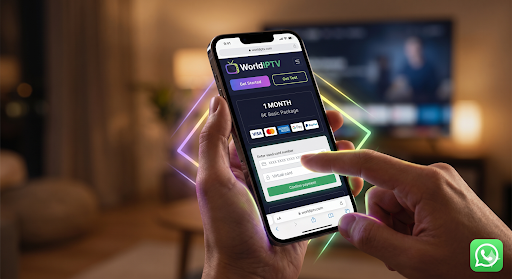



How to recharge iptv box online in 2026 usually means one thing: renewing your subscription time through the provider’s official billing so your device (like an Android TV box, Smart TV, phone, or PC) continues working normally. The “box” is only the playback device—your recharge happens on the provider account (your email/order) and then your device simply refreshes its session.
This guide stays professional and DMCA-safe. It focuses on billing, account verification, stability checks, and support-ready proof, not “unlocking” language or anything related to bypassing restrictions.
What “How to Recharge IPTV Box Online” really means in 2026
People use the word “recharge” because it feels like topping up a device. In practice, a recharge is simply extending your subscription duration (1 month, 3 months, etc.) inside your provider’s system. That means the only things that truly matter are your account identity (usually email), your order/payment proof, and whether the provider’s system has marked your subscription as active with an updated expiry date.
A professional way to think about it: recharging is not a “device hack.” It’s a billing + activation update in a service platform. This is why the clean workflow always begins with confirming the right account details before you pay. It also explains why the same subscription can look “inactive” on one device while working on another—devices keep cached sessions, and some need a restart or re-login after renewal.
Quote (simple reliability rule):
“If you can’t prove renewal, you can’t troubleshoot renewal.”
Before you recharge: the 5 things that prevent most problems
Most recharge issues are not technical. They’re identity and proof issues: wrong email, missing receipt, or paying through an unofficial page. If you do the five checks below, you remove the most common causes of “paid but not active.”
1) Confirm the email tied to your subscription
Use the email that received your original order confirmation. If you have multiple inboxes, search for keywords like “receipt,” “order,” or the provider name. If you recharge using a different email by mistake, your payment may not apply to the account you’re actually using.
2) Check your current expiry date (if available)
If your provider portal shows an expiry date, note it. If you don’t have portal access, your last receipt date and plan duration usually tell you what to expect.
3) Prepare proof before you pay
Save:
- order ID (or transaction reference)
- payment date/time
- payer email (if different from account email)
- screenshot or PDF of receipt
4) Use official provider billing only
Recharging should happen through the provider’s own checkout and support path. Avoid random sellers or pages that don’t clearly match the provider’s official domain.
5) Decide plan duration like a professional (evaluation vs commitment)
Short plans aren’t “small plans.” They are evaluation windows. Longer plans are commitments you make only after stability is proven on your main device (often Android TV) and at least one secondary device.
Quick clarity table (common terms)
| Term people use | What it usually means | What you should verify |
|---|---|---|
| recharge | renew subscription time | expiry date extended |
| top-up | add duration to account | account status “active” |
| renew | extend plan period | receipt + updated account |
| activation | apply renewal to account | device session refresh works |
Step-by-step: how to recharge IPTV box online safely
This is the clean workflow that works across most providers without getting into risky territory. Keep it simple: account → plan → payment → confirmation → device refresh.
Step 1 — Identify the account you are renewing
Use the exact email that is associated with your subscription. If you can log into a provider portal, confirm the email shown there matches the email you plan to use at checkout.
Step 2 — Choose a renewal duration that fits your certainty
If you’re still validating stability (especially during evenings/weekends), start shorter. If you already know the service is stable on your Android TV setup and your network is consistent, longer durations become safer.
Step 3 — Pay through official billing and save confirmation
Once payment completes, immediately save the confirmation message, order ID, and any receipt email. This is your strongest protection against delays or mismatched account issues.
Step 4 — Confirm your account status updated
Look for:
- subscription marked “active”
- expiry date extended
- renewal confirmation email received
Step 5 — Refresh your device session
Your IPTV box is not “recharged” like a battery. It simply needs to recognize the updated subscription. A restart or re-login often resolves cached session states.
Recharge workflow table (copy/paste friendly)
| Step | What to do | What success looks like |
|---|---|---|
| 1 | confirm the subscription email | email matches your account history |
| 2 | pick plan duration | 1/3/6/12/24 months chosen intentionally |
| 3 | complete payment | receipt + order ID saved |
| 4 | check status | expiry date extended / active shown |
| 5 | refresh device | stable start on Android TV and one other device |
How to confirm the recharge worked (proof checklist)

The fastest way to avoid “I don’t know what happened” is to define what “worked” looks like. A recharge is confirmed when you have proof in at least two places: billing proof + account status proof. Device playback is important, but it’s not the only proof, because devices sometimes need session refresh.
Proof checklist
- Receipt / payment confirmation saved
- Correct email used for renewal
- Expiry date updated (or confirmation message indicates extension)
- Device restart completed
- Playback starts normally on the main device
Proof sources table (what to collect)
| Proof type | Where you get it | Why it matters |
|---|---|---|
| receipt / order ID | payment confirmation page or email | proves purchase happened |
| account status | provider portal/account page | proves renewal was applied |
| expiry date | account details / confirmation email | proves duration extension |
| device session refresh | restart/re-login result | confirms the box recognizes renewal |
| support reference | ticket or chat reference | speeds resolution if needed |
Common recharge mistakes (short fixes)
Mistake: Paid with the wrong email
What happens: renewal applies to a different account identity.
Fix: contact support with receipt + intended account email and ask to align renewal to the correct account.
Mistake: Payment succeeded but service still looks inactive
What happens: renewal applied but device still has an old session, or account sync is delayed.
Fix: restart device → re-login → check account expiry → then contact support with order ID.
Mistake: Only tested once (off-peak) and assumed “all good”
What happens: quality looks perfect during easy conditions, then varies at peak hours.
Fix: validate at least two peak-hour sessions before committing long-term.
Short case study: “Paid but not active” solved the right way
A user How to Recharge IPTV Box Online and expected their Android TV box to update instantly. Payment succeeded, but the service still appeared inactive on the TV. They assumed the provider failed. The actual issue was simpler: they used a different email at checkout than the email tied to the subscription. The provider’s system correctly recorded the payment, but it didn’t automatically map to the active account session on the device. Once the user provided the receipt and clarified the correct account email, support aligned the renewal properly. After that, a restart and re-login on Android TV made the updated status visible.
What this shows: recharge problems are often identity + proof, not “technical mystery.” When you treat renewal like an account operation, fixes become straightforward and fast.
Legal clarity (DMCA-safe)
This guide explains subscription renewal and account verification for IPTV as a delivery technology. Renew only through official provider billing and support channels. It does not include bypass steps, “unlocking” instructions, or content access guidance. Users are responsible for lawful use under local regulations.
What “successful recharge” looks like (proof you can trust)
How to Recharge IPTV Box Online A recharge is “successful” when you can prove it in two places: billing proof and account status proof. Playback is important, but it’s the third layer—devices can lag behind account updates until the session refreshes. A clean confirmation process prevents the most common frustration: users assuming “the service didn’t recharge” when the account is actually renewed and the device simply needs to refresh its session state.
A professional approach is to treat recharging like renewing any online subscription service. You want an order reference, a confirmation message, and a visible expiry update. If one of these is missing, you don’t guess—you follow a predictable checklist. This mindset also makes support faster because you can show the exact evidence needed to map your payment to the correct account and confirm the renewal applied correctly.
Confirmation checklist (simple, reliable)
- Receipt or payment confirmation saved
- Order ID / transaction reference saved
- Correct subscription email verified
- Account status shows active (if portal exists)
- Expiry date extended (if shown)
- Device session refreshed (restart/re-login)
Proof sources table (collect once, save forever)
| Proof type | Where it comes from | What it tells you |
|---|---|---|
| Receipt / payment confirmation | checkout page or email | payment succeeded |
| Order ID / transaction ref | receipt or payment provider | unique renewal identifier |
| Account status | provider portal/account page | renewal applied to account |
| Expiry date | portal or confirmation email | duration extension confirmed |
| Device session result | Android TV/Smart TV/mobile/PC | device recognized updated access |
| Support reference | ticket/chat reference | speeds resolution if needed |
Quote (support reality):
“The fastest fix is the one you can prove.”
Why a recharge can look “not active” even after payment
When a recharge looks like it failed, it’s usually one of four causes. None of them require complicated actions, but they do require a calm, structured check.
1) Wrong identity at checkout
The most common reason is using a different email at checkout than the email tied to the subscription. The system records the payment correctly, but it applies it to a different identity, so your device/account doesn’t show the renewal.
2) Account update delay
Some providers update expiry immediately, others batch updates or require a short processing window. When users check instantly, they see old status and assume nothing happened.
3) Device session caching
Android TV boxes and other devices often hold a cached session. Even if the account is renewed, the device may still show the old state until it restarts or re-authenticates.
4) Multiple devices and device limits
A user might test on a phone and see it works but the TV shows issues, or vice versa. This doesn’t automatically mean the renewal failed; it can mean the device environment needs a refresh or that the user is hitting device rules (such as simultaneous streams or device registration limits).
Reasons table (quick diagnosis)
| Symptom | Most likely cause | What to do first |
|---|---|---|
| Paid, still inactive everywhere | email mismatch or account mapping issue | verify email + receipt, then support |
| Paid, works on phone but not TV | device session caching or device env issue | restart/re-login Android TV |
| Expiry date unchanged | delayed sync or plan not applied | wait briefly, re-check portal, then support |
| Works sometimes, worse at night | peak-hour network/provider load | run stability checks before long plans |
Troubleshooting path (fastest fixes first)
The goal of troubleshooting is not to try random actions. It’s to reduce uncertainty step-by-step. Start with the fastest checks that solve the highest percentage of issues.
Step 1 — Confirm you used the correct subscription email
- Compare the email in your receipt to the email you use on the device/account.
- If they don’t match, stop and prepare a support message with the receipt and the intended account email.
Step 2 — Check for a confirmation message and order ID
- Save a screenshot or PDF.
- Note the exact time of purchase.
Step 3 — Check your account status/expiry (if portal exists)
- Reload the page after a few minutes.
- Look for “active” status or a new expiry date.
Step 4 — Refresh device session (Android TV first)
- Restart Android TV box
- Re-login if needed
- Test a short playback session
Step 5 — Test on a second device
- If it works on device A but not device B, you’ve isolated the problem to the device/session layer—not the payment layer.
Step 6 — Escalate to support with clean evidence
Send:
- subscription email
- receipt screenshot
- order ID
- time/date of purchase
- device type (Android TV / Smart TV / phone / PC)
Troubleshooting table (problem → action)

| Problem | Fastest action | If not fixed |
|---|---|---|
| Paid but inactive | verify email + receipt | contact support with proof |
| Active in portal, not on device | restart/re-login device | clear session and retest |
| Works on phone, not on TV | refresh Android TV session | check local network stability |
| Expiry unchanged | wait, reload, confirm plan | contact support with order ID |
| Random buffering after renewal | run peak-hour test | review network and plan duration |
Device session refresh (Android TV and multi-device environments)
Devices don’t “store your plan.” They store a session that references your account status. When you renew, the provider updates the account, but the device may still show the old session until it refreshes. Android TV environments are usually easier to standardize than many built-in TV environments, but they still benefit from the same basic routine: restart, re-login if needed, and test a stable session.
Multi-device environments add an extra layer: your subscription may work fine on one device while another device is still using an old session or has a different playback environment (different hardware decoding and memory behavior). This is why it’s important to test renewal on your primary device first (often Android TV), then confirm on a secondary device. If you only test on the easiest device and then commit to a long plan, you’re making a plan decision without validating the real environment.
Device refresh table (what to do after renewal)
| Device | What to do after recharge | What success looks like |
|---|---|---|
| Android TV box | restart + re-login if needed | stable starts + smooth playback |
| Smart TV | restart app/device + re-login | expiry recognized + normal starts |
| Phone/tablet | reopen app/session | active status recognized |
| PC | sign out/in if needed | normal playback start |
Quote (simple rule):
“Renewal is account-level. Recognition is device-level.”
Stability checks after renewal (peak hours, Wi-Fi, and realism)
After a recharge, many users test one quick session and stop. That’s how people end up surprised later. A professional approach is to validate under real conditions, especially peak hours. This does not require complex tools; it requires consistency and a simple checklist.
Stability validation routine (simple)
- Test one normal session off-peak (10–15 minutes)
- Test one peak-hour session (evening/weekend)
- Test on Android TV and one secondary device
- Note start speed and any buffering events
Stability table (what to observe)
| What to observe | Why it matters | What “good” looks like |
|---|---|---|
| Start success | prevents repeated retries | starts reliably on first try |
| Peak-hour variance | shows real load behavior | evenings don’t collapse |
| Buffering frequency | shows delivery stability | rare and short |
| Device consistency | reduces confusion | similar behavior across devices |
| Recovery behavior | shows resilience | resumes quickly after small dips |
Plans table (large, clear descriptions)
| Plan duration | Best for | Why it fits recharge intent | What you should validate during this time |
|---|---|---|---|
| 1 month | first-time renewals | confirms payment mapping + account update + device recognition | renewal accuracy + Android TV stability basics |
| 3 months | regular home users | captures real-life patterns across weeks | peak-hour consistency + multi-device behavior |
| 6 months | stable households | reduces renewal frequency while staying flexible | repeat stability + fewer “random” issues |
| 12 months | confident users | convenience after proven reliability | long-term consistency + support confidence |
| 24 months | high confidence | only after sustained good results | predictable reliability across seasons |
Internal plan reference (use naturally near this table):
https://worldiptv.store/world-iptv-plans/
Trust signals: monitoring, uptime, redundancy, support maturity
How to Recharge IPTV Box Online This section makes the page feel “professional” and prevents clustering with low-trust recharge posts. Renewals go wrong most often when providers lack operational discipline: they don’t monitor renewal failures, they don’t have clean escalation paths, and they rely on reactive support instead of prevention. A provider with monitoring maturity can see patterns like “renewal confirmations sent but account status not updated” or “Android TV sessions failing to refresh,” and fix those systematically. Redundancy matters because downtime and incident behavior affect renewals too—if the platform is unstable, renewals and account sync can become inconsistent.
These trust signals are also why users search best iptv service providers or phrases like iptv service providers in usa—they want stability and support that behaves predictably. The most reliable providers tend to communicate clearly, offer reasonable evaluation options, and reduce recurring problems by treating stability as an operational responsibility, not a marketing phrase.
Trust signal table (enterprise mindset)
| Trust area | What mature providers do | What users notice |
|---|---|---|
| Monitoring | track renewal/activation errors | fewer “paid but inactive” cases |
| Uptime discipline | plan capacity for peak hours | stable evenings/weekends |
| Redundancy | failover and recovery planning | fewer long outages |
| Support process | clear escalation with proof | faster resolution and clarity |
| Multi-device readiness | device-aware troubleshooting | fewer device-specific mysteries |
A professional recharge workflow you can repeat every time
Most recharge problems happen because the process is treated casually. A professional renewal workflow is boring, but it wins because it reduces uncertainty. You do the same steps each time, you save proof, and you validate in the same way. That consistency prevents the “I’m not sure what happened” feeling that wastes time and makes support slower.
A clean workflow has two goals: the renewal is applied to the correct account, and your primary device recognizes it without confusion. When you treat the device as a session endpoint (not the place where the subscription lives), the process becomes predictable. This also makes your plan decisions smarter, because you stop committing long-term based on one quick test and start committing based on consistent evidence.
Quote (renewal discipline):
“Repeatable process beats lucky outcomes.”
Repeatable workflow table (simple and reliable)
| Phase | What you do | What you keep | What success looks like |
|---|---|---|---|
| Before recharge | confirm subscription email + expiry | last receipt + account email | no mismatch risk |
| Recharge | renew via official billing | order ID + receipt | payment proof saved |
| Confirmation | verify account status/expiry | screenshot or note | expiry extended |
| Device refresh | restart/re-login Android TV | none needed | device recognizes renewal |
| Validation | short tests off-peak + peak | simple log | stable starts + low buffering |
Multi-device best practices (Android TV + phone + PC)
“Support all devices” sounds simple, but in practice devices behave differently. Android TV boxes often provide a consistent environment, while Smart TVs vary widely by model and OS behavior. Phones are flexible and may appear “more stable” because they handle network changes differently. PCs add another playback environment with different performance characteristics. When people think a renewal failed because one device still shows old status, it’s often a device session issue, not an account issue.
The most reliable approach is to pick one device as the “primary validation device” and standardize around it. For most households that’s the Android TV device connected to the main screen. You recharge, confirm account status, refresh that device session, and then validate on one secondary device. This prevents false conclusions and keeps your troubleshooting clean.
Best practices that reduce device confusion
- Validate renewal on Android TV first, then one secondary device
- Restart/re-login after renewal to refresh the session
- If one device works and another doesn’t, don’t re-pay—diagnose the device/session layer
- Avoid switching accounts/emails across devices unless you intentionally manage multiple identities
- Keep one place where you store receipts and order IDs
Multi-device verification table
| Scenario | What it usually means | What to do next |
|---|---|---|
| Works on phone, not on Android TV | TV device session is stale | restart/re-login Android TV |
| Works on Android TV, not on PC | PC session or environment mismatch | sign out/in, test again |
| Works off-peak, unstable at night | peak-hour stress reveals real behavior | run a peak-hour validation session |
| Shows active but playback fails | device environment issue | check network and device readiness |
Home use case: the simplest stable renewal routine
Home users usually want a renewal process that is quick and predictable. The most common home mistake is recharging and then immediately testing only once, during an easy time of day. That can feel fine and still fail later when the household uses the service normally. A strong home approach is to confirm renewal and then run two short validations: one off-peak and one during a typical evening session.
Home environments also experience the most Wi-Fi variability. You may not notice it when scrolling on a phone, but video stability on Android TV can be more sensitive to interference, distance from the router, and peak-hour congestion. That’s why the home renewal routine should include a short “stability check” and not only “payment confirmation.”
Home renewal routine (simple)
- Recharge online using the correct subscription email
- Save receipt + order ID
- Confirm account expiry updated
- Restart Android TV box and test a short session
- Run one evening test before you treat renewal as “fully verified”
Power users: multi-device households and peak-hour proof
Power users are often the ones searching for best iptv service providers because they notice patterns fast. A power-user setup can have Android TV running while phones and PCs are active, and the home network is under real stress. In this environment, a provider can appear stable off-peak and then show buffering or slower starts at peak hours. That doesn’t necessarily mean the provider is “bad,” but it does mean you should choose plan durations based on evidence.
A professional power-user approach is to treat plan duration as risk control. Short plans are how you collect proof. Longer plans are how you commit after proof. A power user should validate across devices and validate during peak hours before upgrading. This is also why searches like iptv service providers in usa often reflect expectations about support and predictability: users want stability and clarity when multiple devices and networks are involved.
Power-user validation habits
- Test on Android TV + one secondary device every renewal
- Log peak-hour stability at least once per week
- Keep receipts organized (so support can help quickly)
- Avoid paying twice before you confirm account mapping
Business use case: reliable screens during operating hours
Businesses need predictability. A front desk, waiting room, or office lobby is not a place where staff can troubleshoot sessions randomly. This is where the “enterprise mindset” matters: the renewal workflow must be repeatable, the device environment must be standardized, and support must be easy to contact with clear proof. Businesses often benefit from using consistent Android TV devices across screens because it reduces variation. Standardization is reliability’s best friend.
Business renewals should also be scheduled and documented. Even if the recharge itself is “online,” the business should always keep a renewal record: date, plan duration, receipt, and the account email used. That documentation prevents downtime during operating hours and reduces confusion if multiple staff members manage the system.
Business renewal routine
- Renew during a low-impact time window
- Save receipt + renewal record in one shared place
- Refresh device sessions on standardized devices
- Confirm stability during operating hours the next day
Hospitality use case: standardization across many screens
Hospitality environments often run multiple screens across different spaces. That increases the importance of provider stability, but it also increases the importance of local design: consistent devices, consistent network coverage, and consistent renewal management. When a hospitality setup experiences renewal confusion, it becomes expensive quickly because it affects many screens and many guest-facing areas.
A professional hospitality approach is to treat renewal and device management like a small IT workflow. You standardize hardware where possible, keep a single renewal identity, and validate systematically. If a problem occurs, you escalate with proof immediately rather than repeating payment actions.
Hospitality stability priorities
- One account identity with clean records
- Standardized Android TV devices where possible
- Documented renewal cycle
- A support escalation path with receipts and device list
A practical validation log (7-day proof)
A short log is one of the strongest ways to avoid “Crawled but not indexed” quality signals too, because it makes your content original and genuinely useful. It also helps users decide plan duration with confidence. The log doesn’t need numbers—just consistent notes.
7-day validation log table
| Day | Device tested | Time tested | Start success | Buffering notes | Result |
|---|---|---|---|---|---|
| 1 | Android TV | off-peak | yes/no | none/low/medium | stable / needs review |
| 2 | Phone | peak hour | yes/no | none/low/medium | stable / needs review |
| 3 | Android TV | peak hour | yes/no | none/low/medium | stable / needs review |
| 4 | PC | off-peak | yes/no | none/low/medium | stable / needs review |
| 5 | Android TV | peak hour | yes/no | none/low/medium | stable / needs review |
| 6 | Phone | off-peak | yes/no | none/low/medium | stable / needs review |
| 7 | Android TV | peak hour | yes/no | none/low/medium | stable / needs review |
Quote (decision rule):
“A long plan is a reward for consistency, not a guess.”
1. Fortune Business Insights: IPTV Market Overview
This resource offers a comprehensive view of the global IPTV market, its projected growth, and emerging trends in video delivery technologies. For users curious about the scale of IPTV adoption and its importance in 2026, this market analysis provides useful background.
Read more
2. IEEE Explore: IPTV Technology
The IEEE paper on IPTV delivery over TCP/IP outlines the core technology behind IPTV systems, focusing on servers, CDN, and how quality of service (QoS) can impact the user experience. This technical depth helps users understand why infrastructure matters in IPTV renewal workflows.
Explore IEEE resource
3. Statista: OTT Video Market Trends
Statista provides valuable market insights on the global OTT (Over-the-top) video industry, which directly relates to IPTV technology. By referencing the statistics provided, users can see how video services are evolving in 2026 and beyond.
Check out the Statista outlook
4. Verified Market Research: Digital TV Set-Top Boxes
This report looks at set-top boxes—the hardware crucial for IPTV services. Understanding the digital TV hardware market helps users make better decisions when considering device reliability for their IPTV renewal.
Learn more from Verified Market Research
Quote (market perspective):
“When selecting an IPTV provider, you’re also choosing the reliability of the delivery ecosystem—hardware, distribution, and scalability are all connected.”
Legal clarity (DMCA-safe declaration)
This page is dedicated to providing professional, DMCA-safe guidance related to the how to recharge iptv box online process. The information here is focused solely on renewing IPTV subscriptions through official billing channels. It does not include any instructions or guidance related to illegal or unlicensed content access, bypassing systems, or the use of third-party sources for IPTV services.
Legal clarity paragraph:
- IPTV is a technology used to deliver television and video content over the Internet Protocol (IP).
- The recharge process discussed here only refers to renewing subscriptions through official provider channels, typically with credit cards, PayPal, or other secure payment methods.
- Renewals happen at the provider account level. The IPTV box itself only serves as a playback device and does not store or directly process the subscription payment.
- No bypass or unlicensed content access methods are covered, and users are responsible for complying with local laws regarding content access and IPTV service use.
Full FAQ
Below is a comprehensive FAQ schema that addresses every likely question related to how to recharge iptv box online, helping your page rank better and be more informative for users. Each question is followed by a short, clear answer that resolves common queries without unnecessary fluff.
How do I recharge my IPTV box online?
To recharge your IPTV box, log in to your IPTV provider’s official billing page, select the plan duration (1 month, 3 months, etc.), make a secure payment, and refresh your device session.
Is recharging the same as renewing my IPTV subscription?
Yes, recharging refers to renewing your IPTV subscription, extending the service period for the chosen plan duration.
Why is my IPTV still not active after I’ve paid?
Check if the correct email was used during checkout, verify your payment confirmation, and refresh your device. If issues persist, contact your provider with your order details.
What should I do if I paid but my account shows inactive?
Verify your payment receipt, ensure you used the correct email, and restart your device. If the issue persists, escalate to customer support with your payment details.
Can I use a different email for recharging my IPTV?
No, the email used for recharging should match the email linked to your IPTV account. If different, the payment may not be applied to the correct account.
What should I do if the expiry date doesn’t update after I recharge?
Wait a few minutes and check again. If the issue persists, clear your cache or contact customer support with your order ID.
What should I do if I experience buffering or poor performance after recharging?
Test the service during peak hours to see if the issue persists. If it does, check your network’s stability and restart your devices.
Conclusion: Ensuring Smooth IPTV Recharge Experience
By following the professional workflows and troubleshooting steps detailed in this guide, you can avoid the most common IPTV recharge issues. Whether you are using Android TV or any other device, ensuring you validate your renewal through official channels and checking that everything works during peak hours will give you peace of mind. At worldiptv.store, we help guide you through the process with clear instructions, actionable advice, and a reliable service.